
 LinkedIn
 X
X Build, test, and deploy EDI integrations faster with Boomi Companion

Building EDI (Electronic Data Interchange) integrations can be slow, complex, and frustrating. Weeks of mapping, testing, and coordinating across multiple systems can quickly stretch into months.
That is exactly what Boomi Companion solves. It lets you describe your integration requirements in plain English and have them built, tested, and deployed in hours. This is not just a concept. It is already a production reality for thousands of businesses, transforming how they connect systems and automate workflows.
In this blog, you will learn how Boomi Companion transforms the EDI workflow, from a simple prompt to fully working maps and processes, along with AI-generated testing, confident deployment, and practical prompting tips.
What is Boomi Companion?
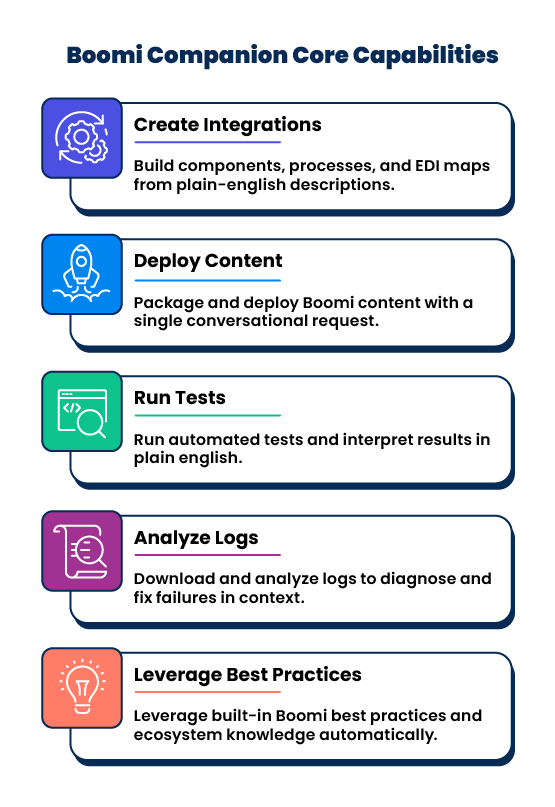
Boomi Companion is an AI-powered developer companion built directly into the Boomi Platform. It understands the entire Boomi environment, from your workspace, processes, components, best practices, common error patterns, and EDI specifications.
The experience is simple. You tell Boomi what you want to build, and it handles the implementation. You do not need to know every configuration detail. It brings together the knowledge of an EDI expert and a Boomi architect into a single conversational interface that anyone on your team can use.
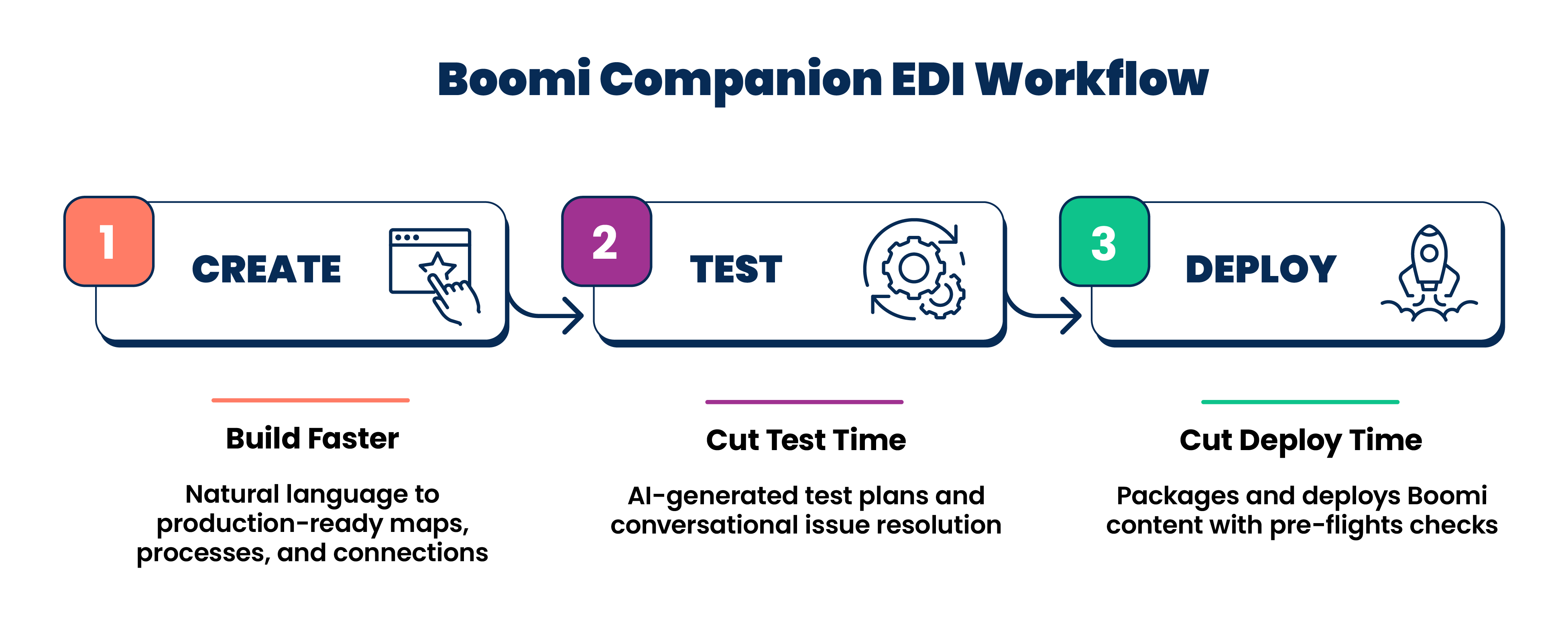
Step 1: CREATE — Build maps and processes significantly faster
The CREATE step is where Boomi Companion makes an immediate, visible difference.
Just describe your EDI requirement in plain English, and Boomi Companion takes care of the rest. It generates the processes, maps, and connections for you, whether you are working with EDI standards like X12 or EDIFACT, REST or SOAP APIs, database connectors, cloud platforms, or custom formats. Everything is ready to test right away.
What used to take hours of manual effort, like configuring map elements, cross-referencing specification documents, and wiring up transaction flows, now happens through a simple conversation.
Example prompts
Here are a couple of real-world style prompts you can use as a starting point:
Prompt — Basic map creation
Create an EDI 850 Purchase Order map from a trading partner using the ANSI X12 4010 standard. The inbound 850 should map to our internal order JSON schema. Use the partner spec documentation at your-api-specification-URL for segment requirements.
Prompt — Full process build
Build a Boomi process that receives inbound 850 Purchase Orders from Partner X, transforms them into our internal order format, routes them to our OMS API endpoint, and sends back an 855 Purchase Order Acknowledgment. Use existing connectivity components where possible.
These prompts demonstrate the level of detail that produces the best results. The more context you include, such as the partner name, standard version, target system, and any existing components to reuse, the closer Boomi Companion gets to generating production-ready output on the first try.
Reference existing processes or components using their Boomi component links (internal references or URLs). Boomi Companion can follow those references, pull in dependencies, and reuse what is already built, saving you even more time.
Step 2: TEST — Cut testing cycle time
Once your map and processes are built, the TEST step begins. Rather than manually writing test cases, generating data, and running scenarios one by one, just describe the test requirements in plain English. Boomi Companion handles the rest, from generating realistic test data to validating transactions against your specifications.
How AI-powered testing works
- Describe the test scenario – for example, Test the 850 inbound orders from Partner X, including standard orders, backorders, and partial shipments or test the REST API sync between our CRM and ERP, including duplicate records and missing required fields.
- Generate the test plan – Boomi Companion generates realistic test data that covers all the described scenarios.
- Validate automatically – Boomi Companion automatically validates every transaction against the relevant specification or schema.
- Surface failures in plain English – Boomi Companion explains issues and suggests fixes you can apply conversationally.
- Re-run to confirm – After fixes, the test suite can be rerun to verify resolution before deployment.
Prompt — Automated test plan
Generate a complete test plan for the EDI 850 X12 Purchase Order process we just built. Include: standard orders, rush orders, backordered items, and transactions that should fail validation. Validate all transactions against the Partner X 2024 specification.
This AI-driven approach does not just save time. It also improves coverage. Edge cases that manual testers often miss are systematically included because test plans are generated from use-case descriptions rather than relying on individual analyst judgment.
Step 3: DEPLOY — Cut delivery time
The DEPLOY step with Boomi Companion removes the final bottleneck in EDI delivery. Boomi Companion packages your Boomi content, runs pre-flight validation checks, and ensures deployment readiness, so deployments happen reliably without the guesswork.
Key capabilities that get your EDI integrations into production smoothly:
- Packages Boomi processes, maps, and components for deployment with a single prompt.
- Runs pre-flight checks to validate EDI configurations before they reach production.
- Confirms deployment readiness end-to-end before it goes live.
- Documents what was deployed and what was tested, automatically.
The result is that new integrations, which once took 4-12 weeks from kickoff to production, now go live in days. Testing coverage is also stronger than what manual processes could achieve.
A real-world example: Multi-system EDI orchestration with AI
This prompt demonstrates how Boomi Companion can build in hours what would normally take a developer several days.
Prompt — Real production prompt — EDI + SAP integration
Create a process that listens for inbound EDI 850 X12 Purchase Order via AS2 from Partner X (ANSI X12 4010). It should transform the 850 into an SAP IDoc ORDERS05 format, post it to SAP S/4HANA via RFC, and then trigger two parallel subscriber processes. After the initial transformation, trigger two parallel subscriber processes:
Subscriber 1 (Acknowledgment Flow):
- Generate an EDI 855 Purchase Order Acknowledgment.
- Map acknowledgment codes from the SAP order response.
- Send the 855 back to Partner X via AS2.
Subscriber 2 (Audit & Compliance Flow):
- Push the original EDI 850 X12 Purchase Order.
- Push the SAP order confirmation.
- Store both in Boomi Data Hub for compliance tracking and audit.
Additional instructions:
- Reuse existing components for SAP and AS2 connectivity here:
<your-api-specification-URL> - Configure SAP IDoc profile for ORDERS05 using our plant code 1000 and sales org 1100.
- Validate all segments against the Partner X specification before sending to SAP.
- Test as you build. A valid test 850 file is here:
<your-api-specification-URL>
This single prompt produced a complete, working integration: An end-to-end order processing pipeline with partner acknowledgment and compliance tracking, all generated by AI.
Companion automatically:
- Cascaded and reused existing component references.
- Configured the SAP IDoc mapping for ORDERS05.
- Wired up parallel subscribers for the EDI 855 acknowledgment and Data Hub audit trail.
- Validated and tested the flow end-to-end.
All of this was done directly from natural language.
Multi-system orchestration, whether it involves EDI, ERP, CRM, cloud APIs, or custom endpoints, is typically complex and time-consuming. It usually takes experienced developers days to design, implement, and test. With Boomi Companion, the same outcome happens in a single conversational flow.
Best practices for prompting
Getting the best results from Boomi Companion comes down to how you frame your prompts. These real-world principles consistently lead to production-ready outputs:
- Be specific about standards and versions: "ANSI X12 4010" or "REST API v2" beats vague descriptions every time.
- Reference existing components: Link to processes or connections that the Companion should reuse.
- Describe the full flow, not just one step: Include input, transformation, output, and response.
- Include test context: Provide a known-valid ID, a test endpoint, or example data.
- Iterate conversationally: Start broad, then refine with follow-up prompts.
Treat Boomi Companion like a senior colleague, not a search engine. The more context you provide, the better the results. You can always ask it to explain what it built and why.
Boomi Companion changes how AI-assisted integrations get built. Maps, processes, testing, and deployment all move faster, with less manual effort and fewer handoffs.
So, what integration will you build first? Start using Boomi Companion in Claude with: /plugin marketplace add OfficialBoomi/boomi-companion.
For the complete technical reference, check out the Dev Docs on the Boomi Companion plugin, and explore the GitHub repository to discover and install available Boomi development tools.
