
 LinkedIn
 X
X Automating Branch and Merge Functionality with the Boomi Enterprise Platform API

Boomi’s November 2024 release introduced Branch and Merge functionality into the Boomi Platform. While the platform does have a user interface to create branches, package and deploy components on branches, and eventually merge branches, a less talked about but necessary functionality is the ability to automate these processes via API calls to the Boomi Enterprise Platform API.
After reading up on a great community article by Boomi’s own Adam Bedenbaugh, Branch and Merge Reference Guide, and having the gears turning from what I had seen customers doing with their development life cycle, I was inspired to build out some of the processes Adam’s article highlighted, showcasing an implementation of an automation layer to the Branch and Merge functionality.
The design set forth by Adam’s article or the implementation that I will be highlighting is in no way meant to serve as the authoritative way to interact with Branching and Merging. Instead, they are meant to get your gears turning and provide a starting point in your automation journey.
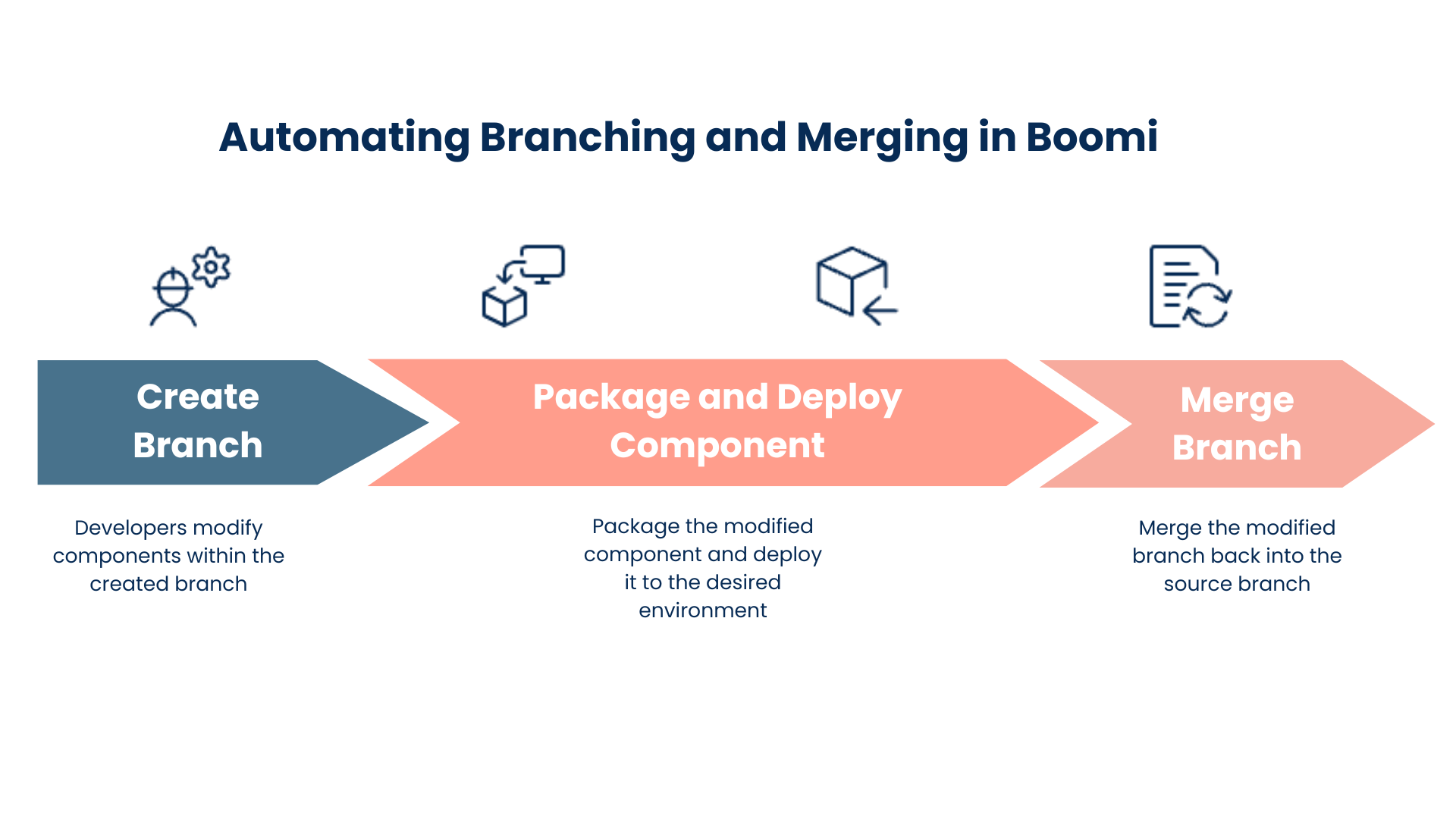
Highlighted below are the steps I have used to work with the Branch and Merge functionality.
Creating Branches
The initial step in introducing an automation layer for Branching and Merging is to automate the creation of branches. Once a branch is created, a Boomi developer can enter into the platform and make necessary changes to processes and components residing on the branch.
The Create Branch object allows developers to create branches without entering the Boomi Platform.
To build a process showcasing this functionality refer to the community article on, Creating a Branch with the Boomi Enterprise Platform API.
Packaging and Deploying Components
The second step in our automation journey occurs once a developer has created or modified a component within a branch and feels the component is ready for deployment. Packaging, deploying, and optionally archiving the underlying code can all be automated. During my PSO tenure, automating the packaging and deployment of Boomi processes was required for specific customers who had to adhere to compliance requirements set forth by their organization and regulatory bodies.
-
The PackagedComponent object allows components to be packaged when dealing with components on a specific branch. The branch name is to be passed in creating a packaged component off of the input branch.
-
The Component object allows the retrieval of the component XML to be captured and stored, showcasing the underlying configuration values at that point in time.
-
The DeployedPackage object provides for the deployment of a package. When creating a PackagedComponent and using the DeployedPackage object, a component can be packaged and deployed concerning a given branch.
To build a process showcasing this functionality refer to the community article on, Creating and Deploying a Packaged Component (Factoring in Branches) with the Boomi Enterprise Platform API.
Merging Branches
The third and final step in automating branch and merge functionality occurs after a branch has been created (Step 1) and the necessary adjustments have been made to meet the outlined change requirements—packaged, deployed (Step 2), and thoroughly tested. The final step seamlessly merges the modified branch back into the source branch. This entire process can also be automated to enhance efficiency.
The MergeRequest object allows a request to be made and executed, bringing the changes from a source branch into the destination branch.
To build a process showcasing this functionality refer to the community article on, Merging Branches with the Boomi Enterprise Platform API.
If you would like to learn more about Branch and Merge, check out the free new training course called Understanding Branch and Merge, found in the Boomi Training & Certification.
