Monitoring integration processes
Monitor your integration processes and Runtimes using the Boomi Platform API. Pull event and execution data programmatically, set up custom routing rules, and connect to your existing notification channels and reporting databases.
Overview
When it comes to monitoring your integration processes and Runtimes, the Boomi Platform API offers two key options:
Event API
The Event API allows you to query for recent events generated by process executions and Runtimes. Events are generated from process errors, Runtime status changes, and user-defined notifications configured using Notify steps within a process flow.
Using the Event API provides several advantages over other delivery channels such as email alerts, RSS feeds, and built-in process design:
- Implement custom routing logic
- Create custom message formats
- Integrate directly into existing notification channels or incident reporting systems
- No process changes or design considerations required
- Run at desired frequency
- Decoupled from process execution
ExecutionRecord API
The ExecutionRecord API can be used for triggering alerts when predefined SLAs for integration processes are not met. The ExecutionRecord API can be used to augment the information in the Event object or to extract it independently into a reporting or analytics database for longer-term historical analysis.
The ExecutionRecord provides process-level execution information. It does not provide document-level details, including tracked fields.
Prerequisites
Before using the Event and ExecutionRecord APIs, make sure you have:
- API authentication credentials and
accountId - Appropriate privileges for querying events and execution records
To learn more about Boomi API authentication, refer to the Getting started with Boomi Platform APIs topic.
Monitoring with the Event API
Workflow
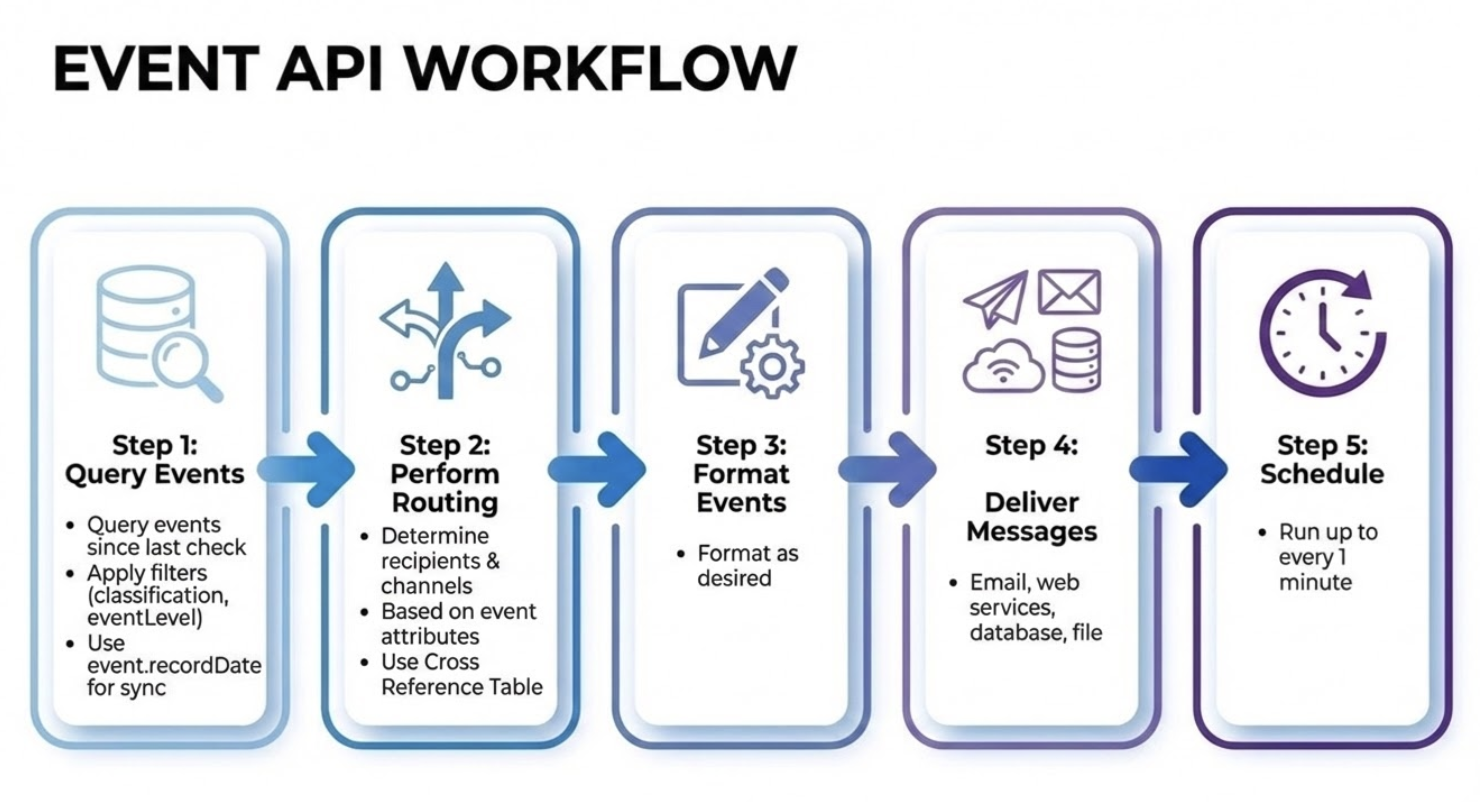
Build a separate integration process (or external client script) that queries events, performs routing logic, formats messages, and delivers them to appropriate channels. Schedule the process to run as frequently as required, up to every 1 minute.
Implementation
Step 1: Query events
- Use the Boomi Platform API Connector to query events created since the last time you checked.
- Apply filters to restrict the records returned. For example, filter by
classification="PROD"AND (eventLevel="WARNING"OReventLevel="ERROR") to only get "problems" from your production processes and environment. - Follow the incremental sync pattern using the
event.recordDatefield.
For complete API details, request and response formats, parameters, and examples, refer to the Event API reference.
Step 2: Perform routing logic
Determine recipients and delivery channels for a given event based upon its attributes such as eventType, eventLevel, and environment.
Use a Cross Reference Table to manage the "routing rules." Wildcard matches can be used to match a range of processes or events.
Step 3: Format the events
Format the events as desired.
Step 4: Deliver the messages
Deliver the messages to the appropriate channels, such as email, web services, databases, or files.
Step 5: Schedule the process
Schedule the process to run as frequently as required, up to every 1 minute.
Additional considerations
- Event records are available for 7 days.
- The Boomi Platform API objects are available via SOAP or REST protocol.
Monitoring with the ExecutionRecord API
Workflow
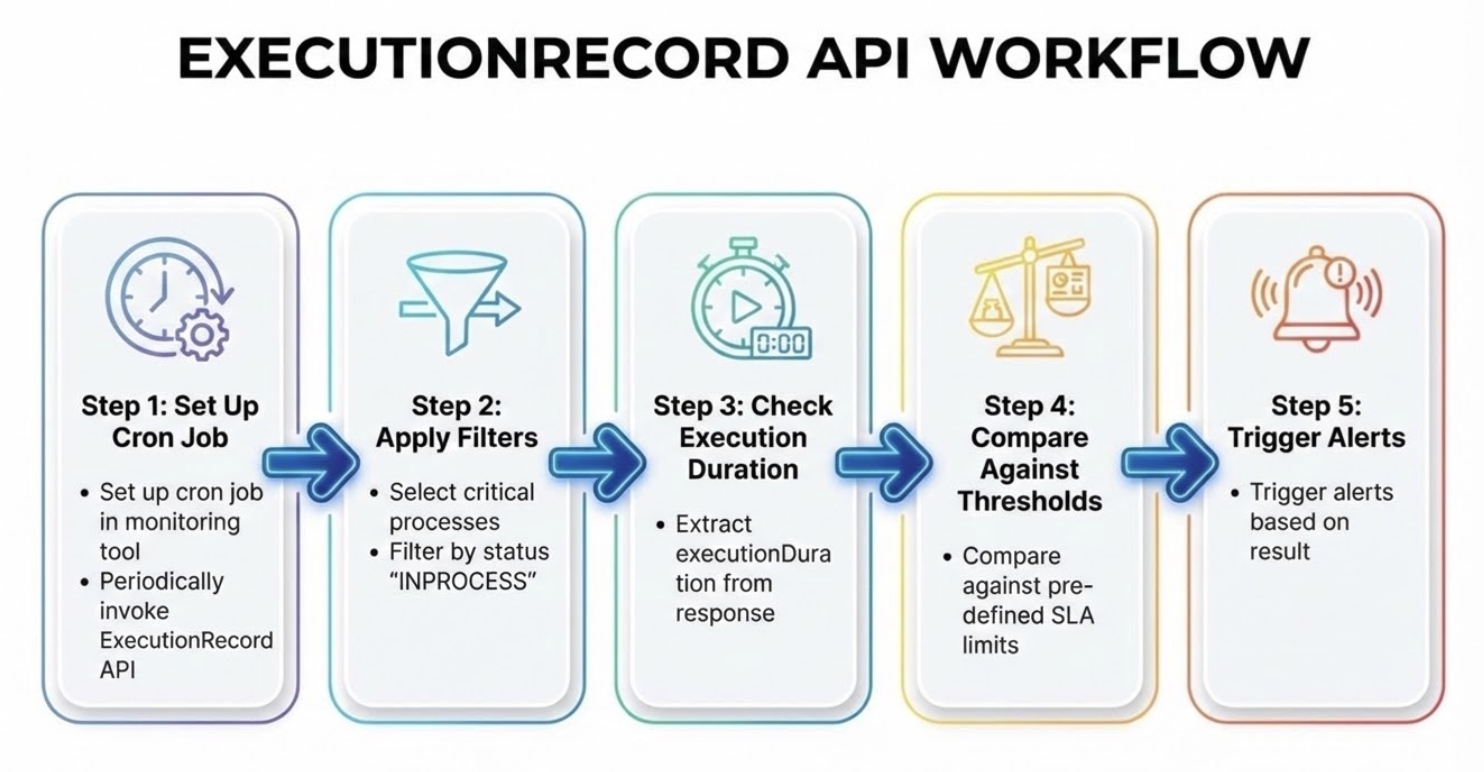
Set up a cron job to periodically query execution records for critical processes with status "INPROCESS", check execution duration, compare against pre-defined thresholds, and trigger alerts based on results.
Implementation
Step 1: Set up a cron job
Set up a cron job in the monitoring tool to periodically invoke the Boomi API for the ExecutionRecord query operation.
Step 2: Apply filters
Set the input filter to select critical processes with additional arguments for status INPROCESS.
For complete API details, request and response formats, parameters, and examples, refer to the ExecutionRecord API reference.
Step 3: Check execution duration
Check the response XML returned for executionDuration.
Step 4: Compare against thresholds
Compare against pre-defined outer limits for said process.
Step 5: Trigger alerts
Trigger alerts based on the result.
Additional monitoring options
Beyond the Event and ExecutionRecord APIs, Boomi offers additional monitoring capabilities for specific use cases.
Metrics with API Management
If you have the API Management feature, you can leverage the Metrics GraphQL endpoint to monitor API-specific performance and usage. For more information, refer to API Metrics.
