Connector development process
Here's the entire process of developing a connector and deploying it in the Boomi Enterprise Platform:
Process overview
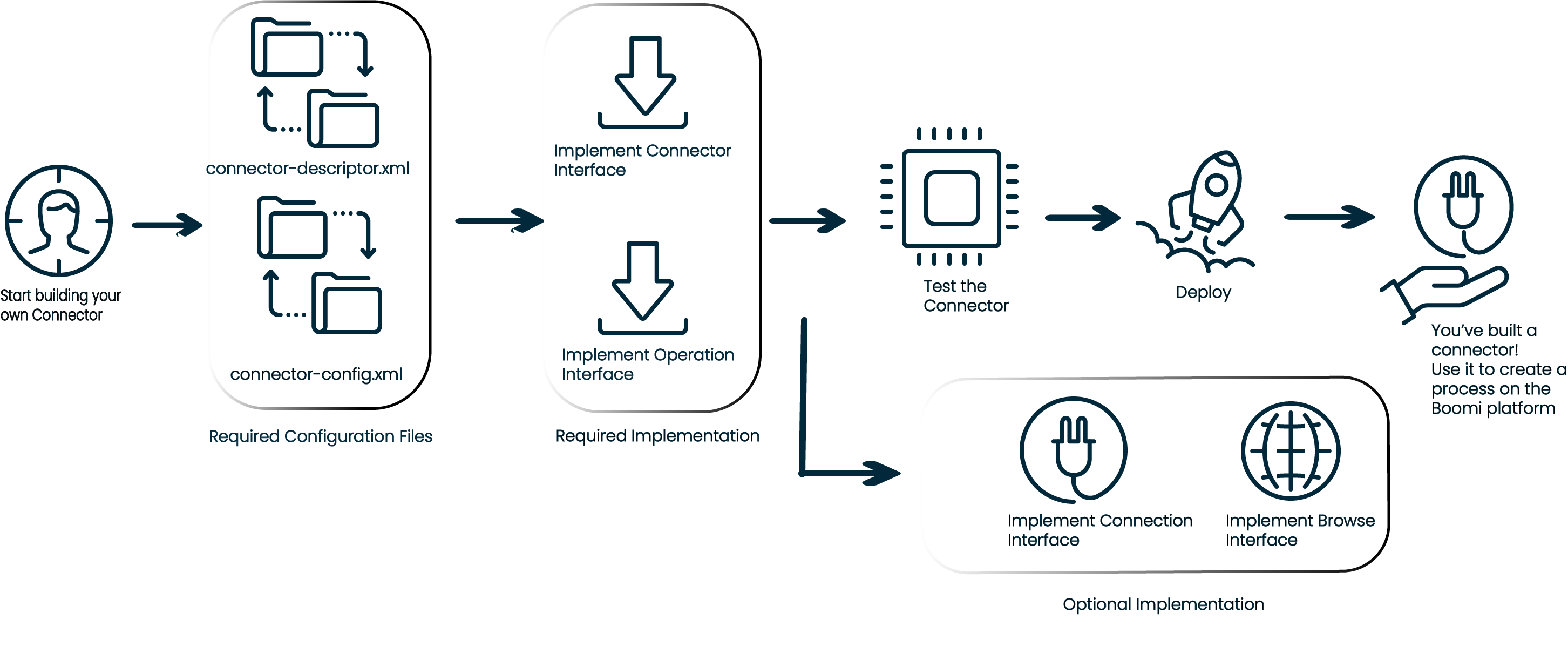
You can build your own connector if your requirement doesn't match with any of the pre-built integration connectors in the Boomi connectors catalog.
To build a connector
-
Choose a framework: To build an integration connector, first you need to choose the framework you want to use. Boomi offers OpenAPI DSL, REST, and SOAP frameworks to build connectors. It also allows you to build a custom connector when the standard frameworks don't cover your requirements.
Here's a breakdown of when to use REST, SOAP, and OpenAPI frameworks, and custom connectors, along with examples:
Framework When to use... Examples REST - When the target system exposes REST APIs.
- REST APIs are typically stateless and use standard HTTP methods, such as GET, POST, PUT, DELETE.
-You need to interact with modern APIs and web services that are often RESTful.- Integrating with a social media API like Twitter or Facebook, which exposes RESTful APIs for fetching data, posting updates, and so on.
- Connecting to a modern CRM system like Salesforce, which heavily uses REST APIs.
-Fetching data from a public REST API, like a weather forecast service.SOAP - When the target system exposes SOAP APIs.
- SOAP is an older protocol that uses XML for message formatting and can handle complex transactions with security (WS-Security) and transaction (WS-Transaction) standards.
- Ideal for integration with legacy systems that use SOAP-based web services.- Integrating with older enterprise systems, such as certain ERP systems like SAP or Oracle E-Business Suite that still support SOAP-based APIs.
- Communicating with financial services that often expose SOAP APIs for high-security transactions.OpenAPI - When the target system provides an OpenAPI specification (formerly known as Swagger).
- The OpenAPI specification provides a standard, language-agnostic interface description for REST APIs, making it easier to automate the generation of documentation and client SDKs.- APIs provided by cloud services, such as AWS API Gateway or Microsoft Azure, often come with OpenAPI specifications.
- Any modern API first provider that uses OpenAPI to describe their services comprehensively.
Note: Using OpenAPI means you can import the specification directly into Boomi, and it helps you automatically generate a connector with all API operations defined in that specification.Custom connector - When your requirements are not covered by standard REST or SOAP connectors, or OpenAPI doesn't fit.
- For highly customized integration scenarios where prebuilt connectors do not exist, or complex custom logic needs to be implemented.
- Situations where you might need to interact with proprietary or less common APIs or services that do not follow REST or SOAP standards adequately.- Integrating a home-grown application that uses a proprietary protocol or a highly customized and non-standard API.
- Connecting to a specialized service that demands unique handling, such as non-HTTP-based APIs (For example, certain types of message queues, binary protocols).tipTo get an idea about various connector implementations, refer to the Code Samples page.
-
Platform configuration:
- Connector Descriptor -
connector-descriptor.xmlfile: This XML file contains all relevant connector configurations required to display in the Boomi Enterprise Platform --> Integration process. The file describes the capabilities of a connector, such as:- Connection fields.
- Available operations, and the fields for each operation.
- Help text for the fields in the connection and operations.
- A Test Connection button is available in the connection.
- Document properties to extend the connector configuration information, such as fileName, fileKey, or folder.
- Tracked properties to list the available fields for a connector that a user can set or reference in various shape parameters.
- Connector Descriptor -
-
Runtime configuration:
- Connector Configuration -
connector-config.xmlfile: The connector configuration file is an XML file used to bootstrap the connector loading process within a Runtime. It contains all relevant information for the Boomi Enterprise Platform runtime. This includes the class name for the Connector implementation class and the target version of the Connector SDK. This file can also specify optional information such as cookie scope.
- Connector Configuration -
-
Required Implementations:
- Connector and Operation Interfaces
-
Optional Implementations:
- Connection and Browse Interfaces
-
Deploying your connector to the Boomi Enterprise Platform
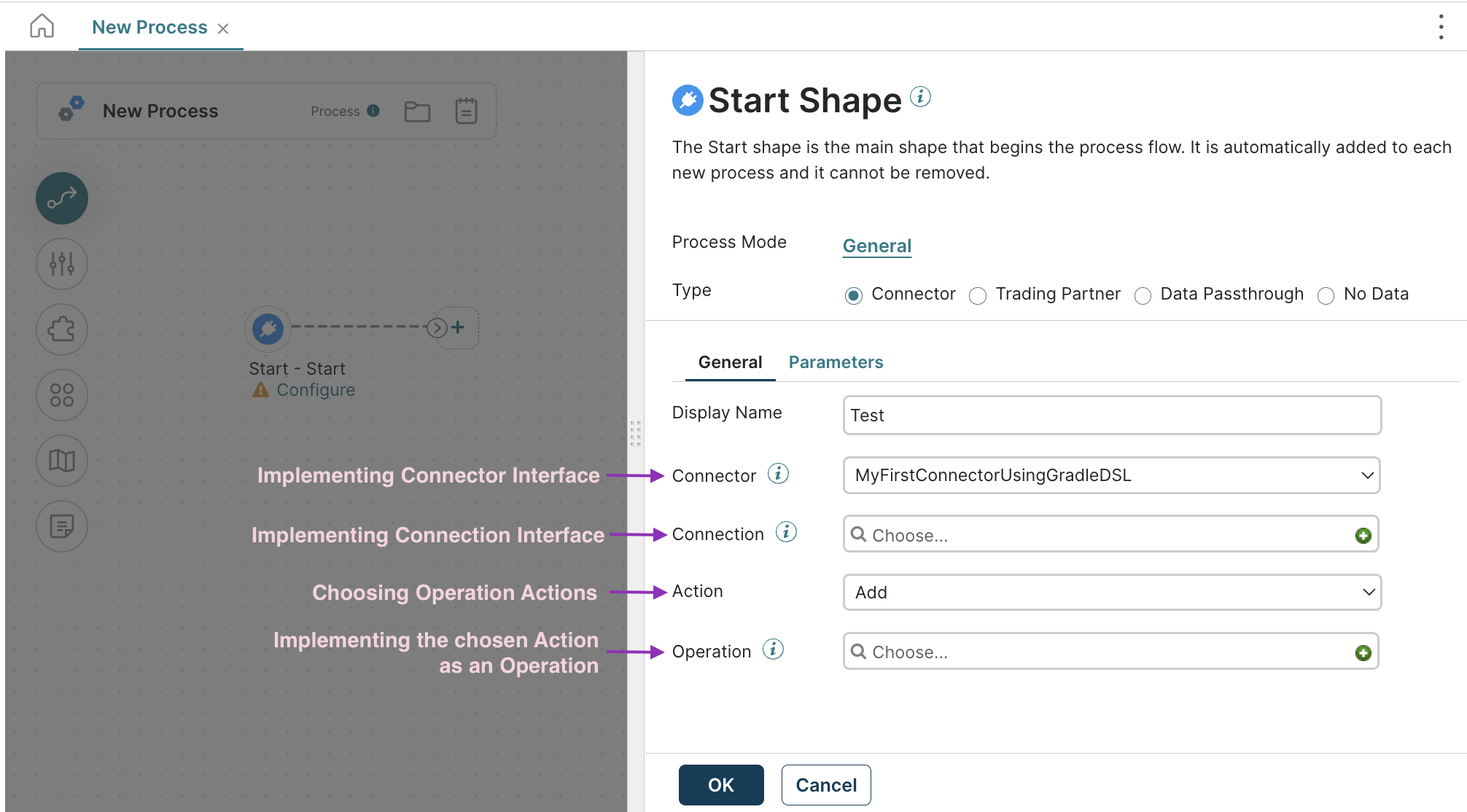
Relate your connector on the Boomi Enterprise Platform
Once deployed to the Boomi Enterprise Platform, your connector is available in the list of Connectors, for you to create a new integration process in the Boomi Enterprise Platform.
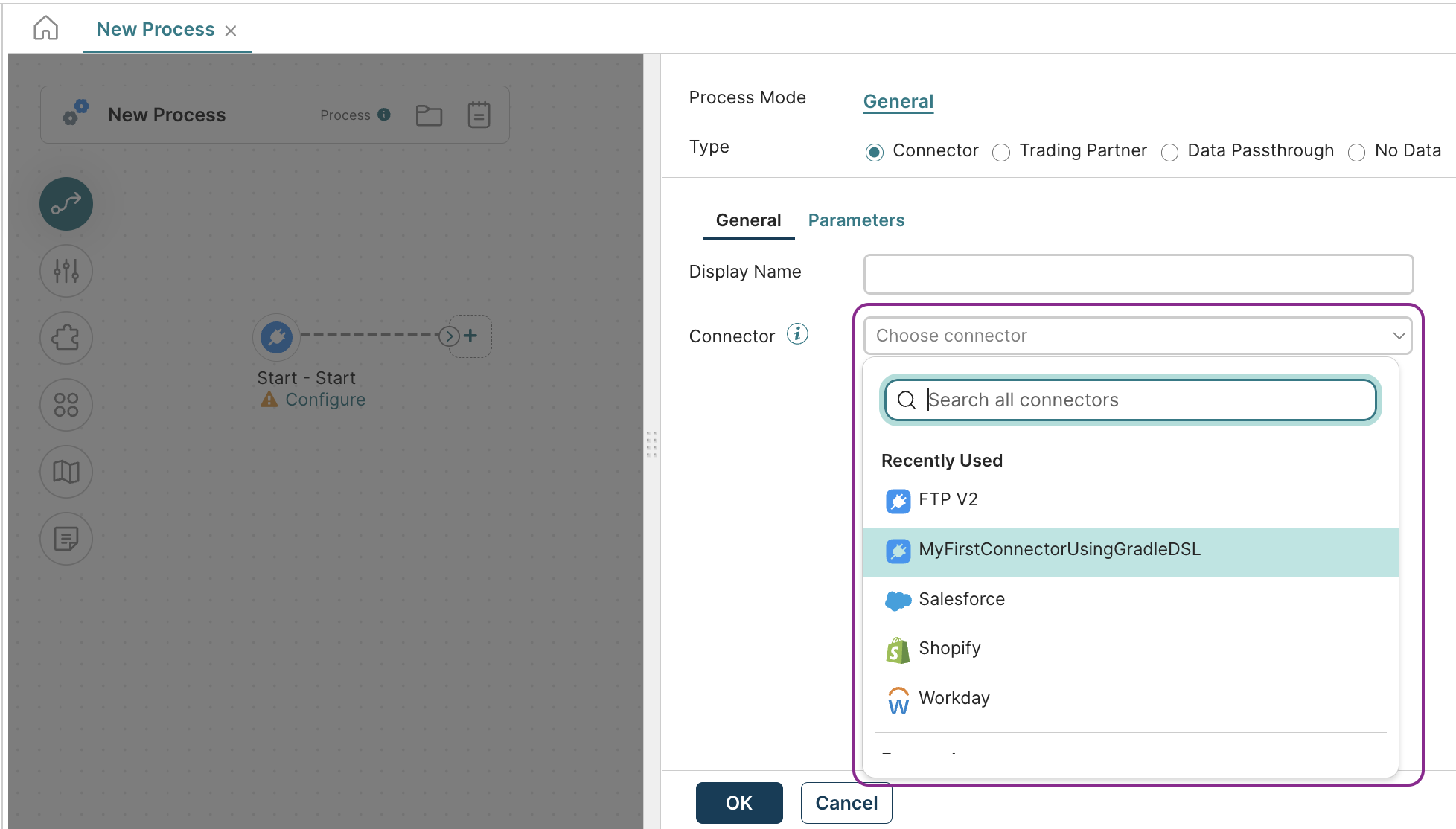
You can relate your connector development with what you see on the Boomi Enterprise Platform: