Enabling Secure Listen for a Runtime cloud
By enabling Secure Listen for a Runtime cloud, connectors having a Listen operation can be deployed to, listened on, and executed from an Execution worker running in a Runtime cloud.
Before you begin
You must have the Runtime Management privilege to set properties. If you have the Runtime Management Read Access privilege, you can view existing settings, but you cannot change them.
About this task
If your account owns a Runtime cloud, you can set properties so Secure Listen works as expected. Cloud owners and accounts that have a Runtime attached to the Cloud can use the Cloud Attachment Quotas tab to view the account's properties and property values in the Cloud.
These settings apply to all attachments for the Runtime cloud, so you cannot enable or disable Secure Listen at the attachment level.
Procedure
-
Go to Boomi Enterprise Platform > Manage > Runtime Management.
-
Do one of the following:
-
If you are the owner of a private runtime cloud, select your Cloud from the list on the left.
-
If you are an account owner, select your Atom from the list on the left.
-
-
Do one of the following:
-
Open the Properties panel.
-
Open the Account Properties panel.
noteThe properties that you see are those that were in effect when the Atom or private runtime cloud started. Properties are displayed regardless of how they were set — through the UI or manually by editing the
<installation_directory>/conf/container.properties file or the<installation_directory>/bin/atom.vmoptions file. -
-
Click the Custom tab.
Only owners of local Runtimes and private runtime clouds have access to this tab. If you have an attachment of a Runtime cloud and do not own the Runtime cloud, you cannot see the Custom tab.
Some errors can be detected immediately. A red box appears around the property if there are errors. The error messages appear below the box.
Properties initially appear in the order in which you added them. After you click Save, the properties are alphabetized by property name.
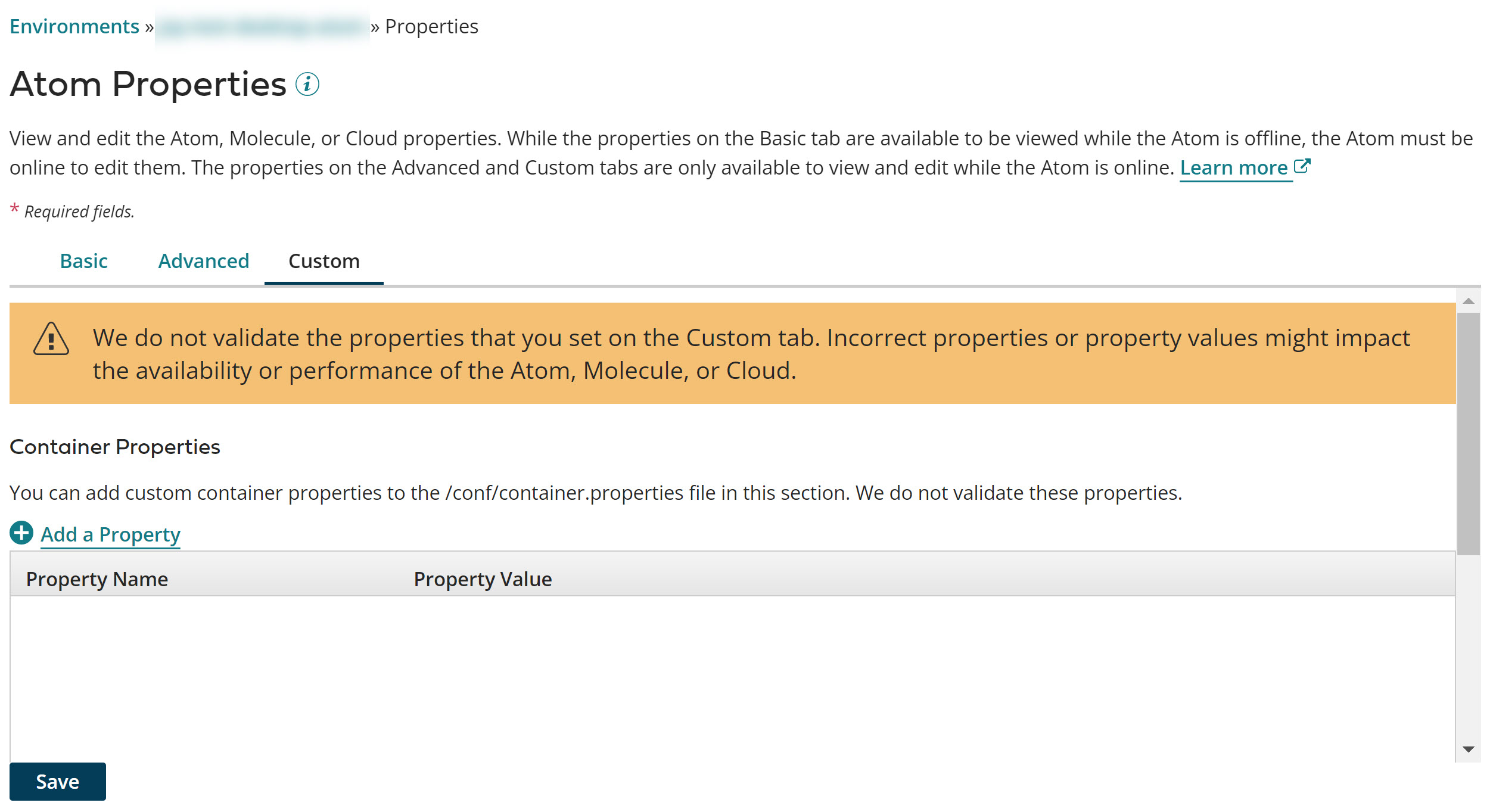
-
To enable the Secure Listen container property for a Runtime cloud on the Custom tab:
-
Click
 Add a Property in the Container Properties section.
 -
Type
com.boomi.container.listen.secure.enabledin the Property Name field. -
Enter True in the Property Value field next to the property name.
By default, new Runtime clouds automatically enable Secure Listen and set this property to
True. When set toTrue, the Runtime cloud and any single tenant containers (Runtime cloud node's main JVM or Execution worker JVM) support single-tenant connectors allowing the listeners to run. To maintain backward compatibility, Clouds having this property previously set toTrueorFalseis respected and is not changed. If required, you must manually change the setting. -
-
Click the Advanced tab.
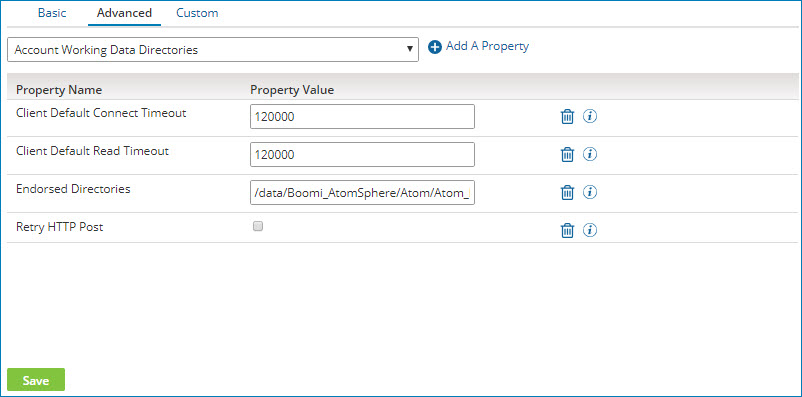
Important: Do not set a value for the Listener Startup Mode property. To learn more, see the topic Properties panel, Advanced tab.
-
Select the Execution Workers Enabled property from the list and click
Add a Property. -
Select the check box in the Property Value field next to the property name. By selecting the check box for this property, the Runtime cloud can use execution workers. execution workers are required when the
com.boomi.container.listen.secure.enabledcontainer property is set to True on the Custom tab.Some errors can be detected immediately. A red box appears around the property if there are errors. The error messages appear below the box.
Properties initially appear in the order in which you add them. After you click Save, the properties are alphabetized by property name.
-
Click Save.
Because changes to many of these properties do not take effect until the Atom or private runtime cloud is restarted, you are prompted to restart. You have the option to restart now or restart later.
Only Atom and Cloud owners can restart them. Accounts that have a Runtime in a Cloud cannot restart the Cloud.
If errors are still detected, a warning message appears containing the names of the tab(s) on which there are errors. You must correct the errors before the properties can be saved.
