The Partner Portal metrics dashboard
The Partner Portal metrics dashboard offers insight into your submissions and how customers discover and use your published Marketplace solutions. You can analyze detailed performance metrics and track customer adoption trends over time.
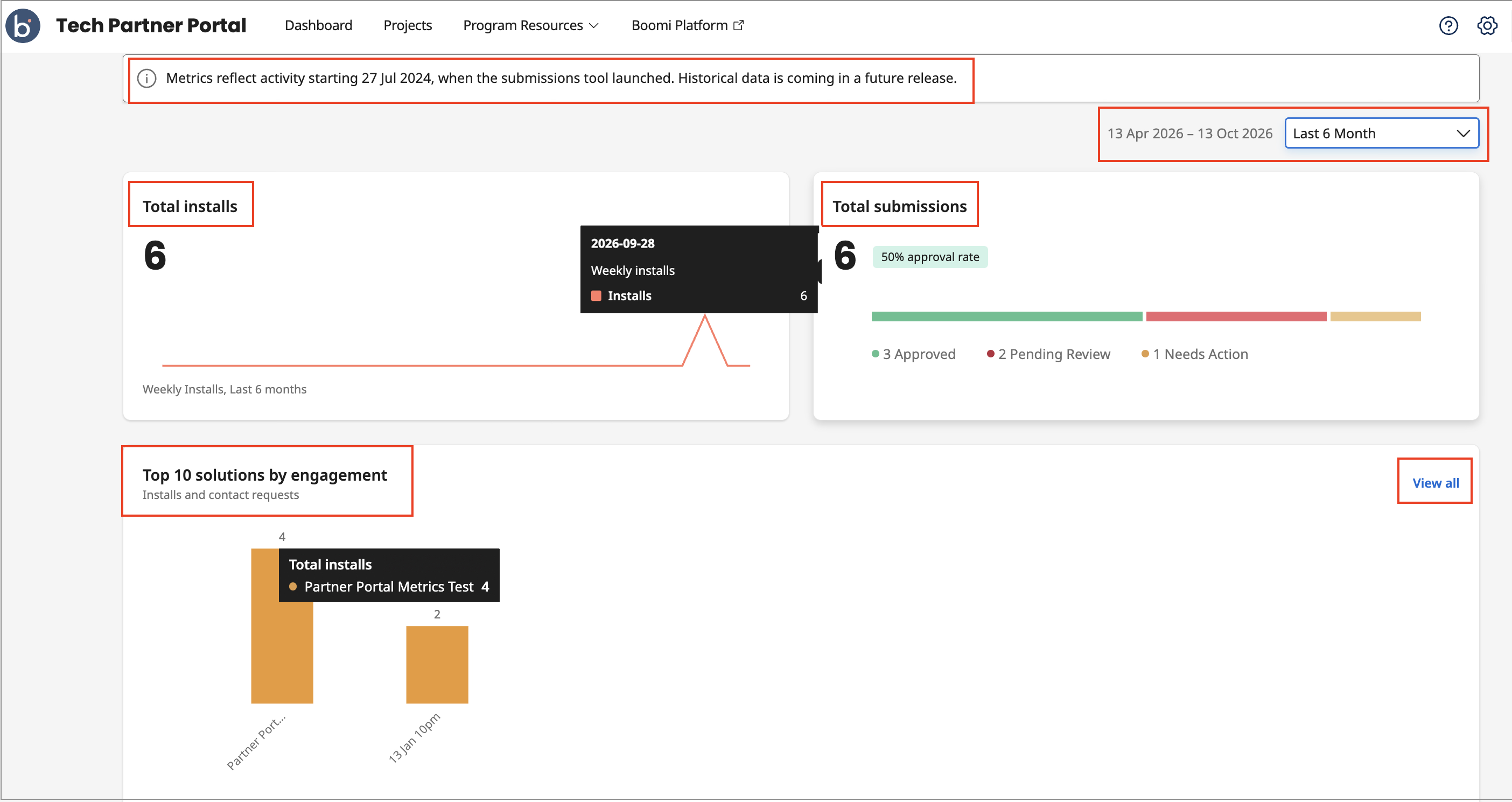
Aggregate Summary Metrics
The summary panel at the top of the metrics section gives you an at-a-glance view of your overall Marketplace traction across all published solutions. Use the date selector to filter solutions by a specific date range.
- Total installs: Represents the total count of Recipes installed and includes a graph depicting the weekly install counts.
- Total submissions: Shows the count of total solutions submitted by you and their approval rates as a percentage badge. The section also features a 3-segment graphical bar, breaking down solutions based on their submission status: Approved / Pending review / Needs action.
- Top 10 solutions by engagement: Displays the most opted-in Accelerators or Recipes by customer engagement (CTA clicks and installs). For each solution, a time-series view shows the engagement volume over time. This helps you understand growth trajectories, seasonality, and the impact of listing changes or marketing campaigns for your solutions.
Viewing all engagements
Click View all under the Top 10 solutions by engagement section:
The side-drawer table lists your published solutions for the selected date range, along with their engagement counts and publishing dates. Clicking a solution name takes you to the solution details page in Marketplace.
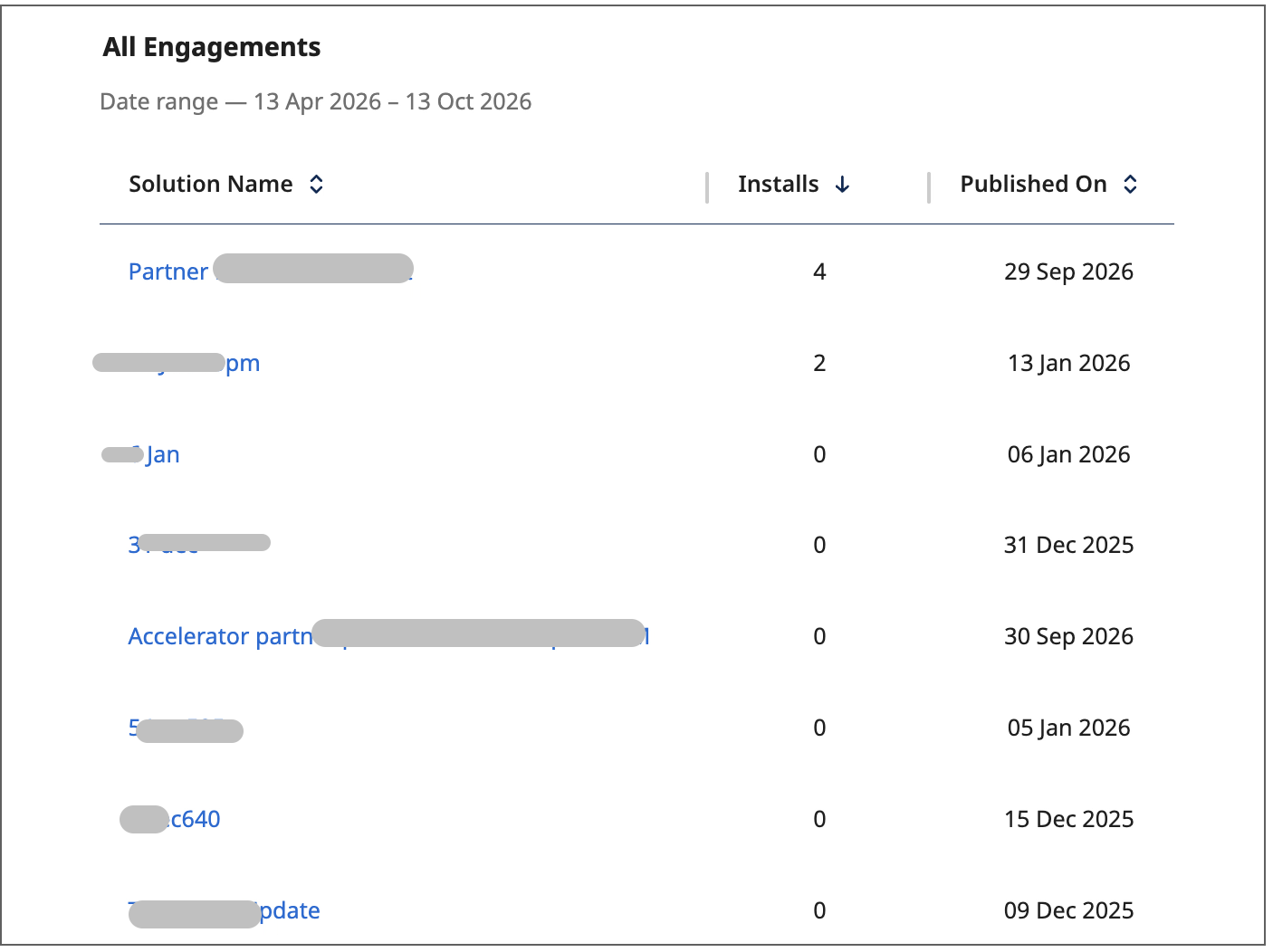
The table excludes unpublished or deleted solutions, but the overall metrics still factors in their historical install counts.
