Getting started with Submissions
The self-serviced, automated Partner Submissions portal allows you to submit your solutions (Recipes, AI Agent Recipes, Accelerators, or Designer Agent Accelerators) for review from the Boomi Platform. Boomi admins use the Submissions portal to provide feedback to Partners, enabling collaborative refinement of the solution. Once the admin ensures the solutions meet Boomi standards, they approve and publish them on the Boomi Marketplace. You can monitor the status of your submissions in real time and take appropriate action as needed.
To use Submissions, you need to be an active Boomi Technology Partner and logged in to your TPP platform account (visit our Technology Partner Program page to become a Tech Partner).
The Submissions workflow
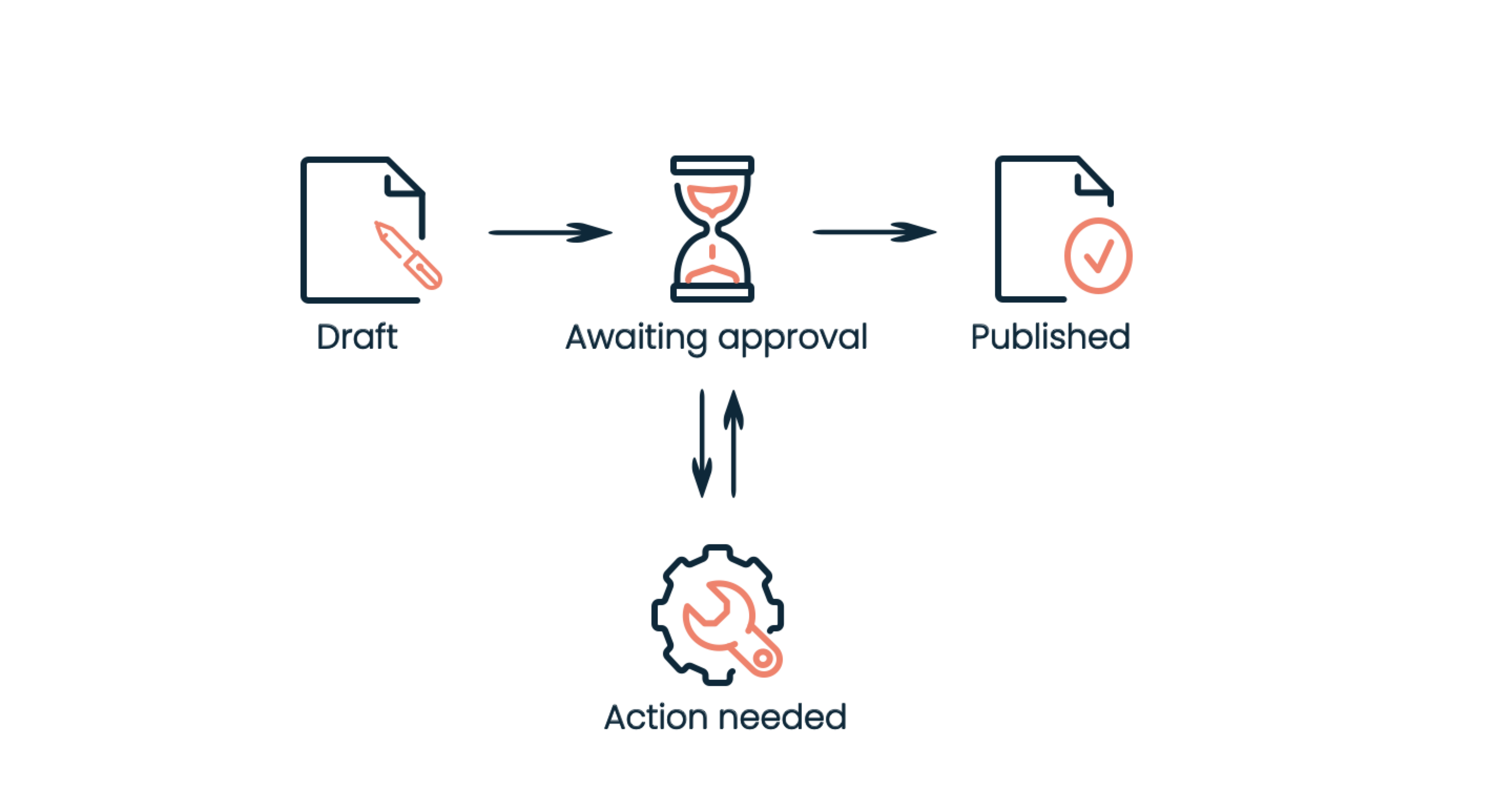
You can monitor the solution submission progress through several stages: Draft, Awaiting Approval, Action Needed, and Published. Each stage represents a specific phase in the review and publication process, helping to understand precisely where your submission stands at any given time.
On the first login as the admin, you must update the publisher details on the settings page. The details include the publisher name, company details, and logo. You'll also need to invite any team members who require access to the Tech Partner Portal. Updating these publisher details will enable the Create New Submission button, allowing you to begin submitting a new solution and subsequently manage created solutions.
| Status | Description |
|---|---|
| Draft | Submission creation happens in this initial stage. Partners make necessary edits and updates to each submission step to ensure the details are complete before submitting for review. |
| Awaiting approval | After the Partner submits, Boomi admins review and provide feedback or approve the submission during this stage. |
| Action needed | If the Boomi Admin identifies that the submission needs changes, it moves to the Action Needed stage, where it remains until the Partner makes the required updates. |
| Published | The submission is successfully published by the Boomi Admin to Boomi Marketplace, making the solution available to users. |
Sign into the Boomi Enterprise Platform, and then head to Submissions under Labs to begin managing your submissions.
