Getting started with the Partner Portal
Overview
The Boomi Tech Partner Portal serves as a centralized hub, offering Boomi Tech partners and developers a comprehensive suite of resources, tools, and step-by-step instructions for building and publishing solutions with Boomi. Whether you aim to learn about our Technology Partner Program, build and publish connectors, recipes, AI Agents, and accelerators on the Marketplace, verify compatibility, or go to market with your solutions, the Tech Partner Portal is your one-stop shop destination. The Portal provides the essential guidance you need to contribute effectively to the Boomi ecosystem.
Accessing the Tech Partner Portal
To access the Tech Partner Portal, you must be an active Technology Partner with Boomi. If you are not yet a Boomi Technology Partner and wish to become one, follow these steps:
- Visit the Technology Partner Program (TPP) webpage to learn about our program.
- Complete and submit the Become a Technology Partner form.
- The Boomi team will review your submitted application. Upon approval, you will receive two email notifications: one with a link to access the Tech Partner Portal, and another with a link to your Boomi Enterprise Platform sandbox account.
Partner onboarding checklist
- Initial login and company profile setup.
- Add team members to the Portal.
- Review the TPP Program, including the program overview, partner tiering structure, and available Go-To-Market (GTM) materials from the Program Resources menu.
- Explore Recommended Links to learn more about Boomi.
- Review documentation available for developers.
Initial login and company profile setup
Now that you have access to the Portal, you need to complete a few foundational steps before you can dive into project creation. On your first login, you need to complete your Company Profile setup to establish your presence in the Partner Portal.
-
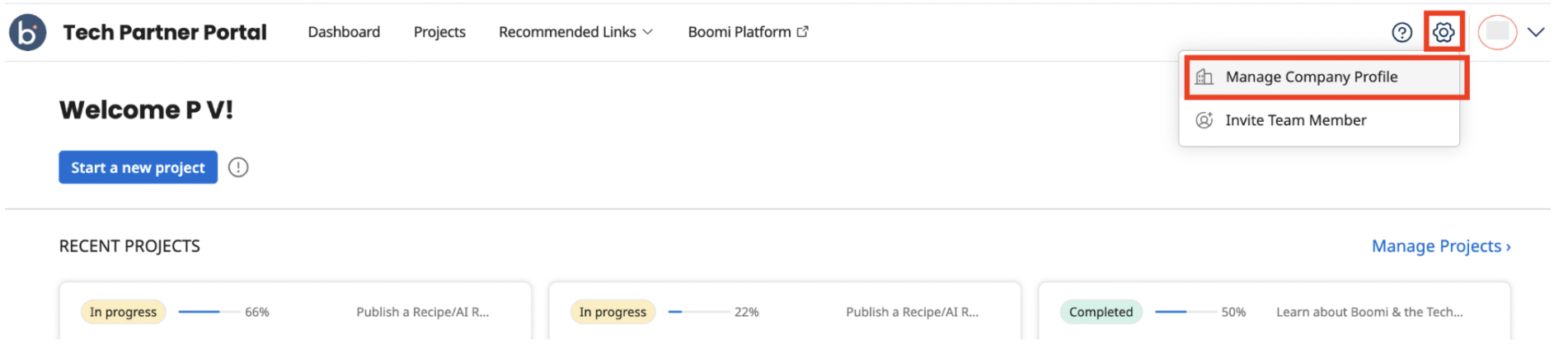
Click the Settings icon on the top right corner of your dashboard and go to Manage Company Profile.
-
Provide details of your company, including your company’s name, website, address, technology focus area, and program use case, and click Update.
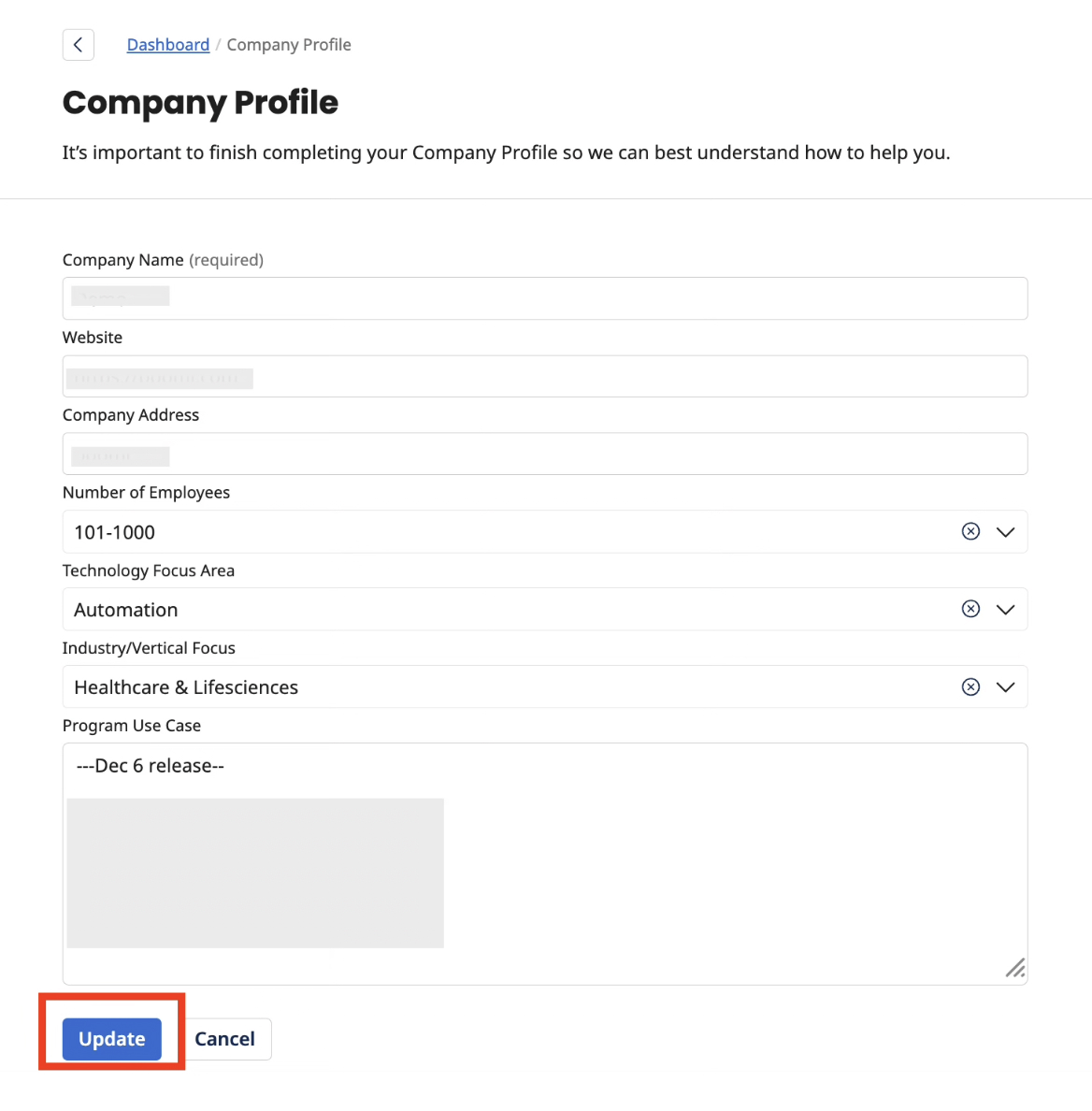
Once your profile is successfully updated, you will be automatically redirected to the Tech Partner Portal dashboard.
You can revisit and manage your Company Profile at any time via the Manage Company Profile page.
Adding teammates
To add team members to the Tech Partner Portal:
- Click the Settings icon on the top right corner of your dashboard and go to Invite Team Member.
- In the Team Member list page, click Add Team Member.
- Provide the name and email ID of the team member to be invited and click Invite. Repeat this step to add more team members.
You can now view or manage your team members from this page.
Recommended Links
Before you begin developing your solutions, ensure you have reviewed the pre-flight resources.
On the Program Resources menu of the Partner Portal, click Recommended Links, where you can access the following:
- Learn more about why customers choose Boomi and how you can partner and innovate with Boomi.
- Recommended Training: Check out the recommended training courses for the type of solution you are going to create and publish.
- Boomi Community Portal: Click Learn More to head to the Boomi Community Portal. You can enroll in forums for specific Boomi services, ask questions, participate in discussions, get a better understanding of Boomi products through Knowledgebase articles, and engage with Boomi experts, the Support team, and users in this portal.
- Visit the Boomi Marketplace to browse through all solutions published by Boomi and Partners.
Documentation
- Technical Guides: Study the step-by-step instructions on the Boomi Help Documentation Portal and Developer Documentation Portal, for the asset type you plan to build. For example, if you are planning to build and publish a Connector, you may check out the Boomi Connector documentation.
- Review frequently asked questions.
Next Steps
Once you have reviewed the key resources and the documentation, you can proceed with the next steps to create and manage your projects.
