Create a custom Platform Type
Before you can run your custom agent, you must create a custom Platform Type in API Control Plane. The Platform Type tells API Control Plane which implementation to load and what configuration fields to display during gateway registration.
Prerequisites
- Agent plugin JAR compiled (refer to Compile the agent plugin)
- Access to API Control Plane with permissions to create Platform Types
Create the Platform Type
-
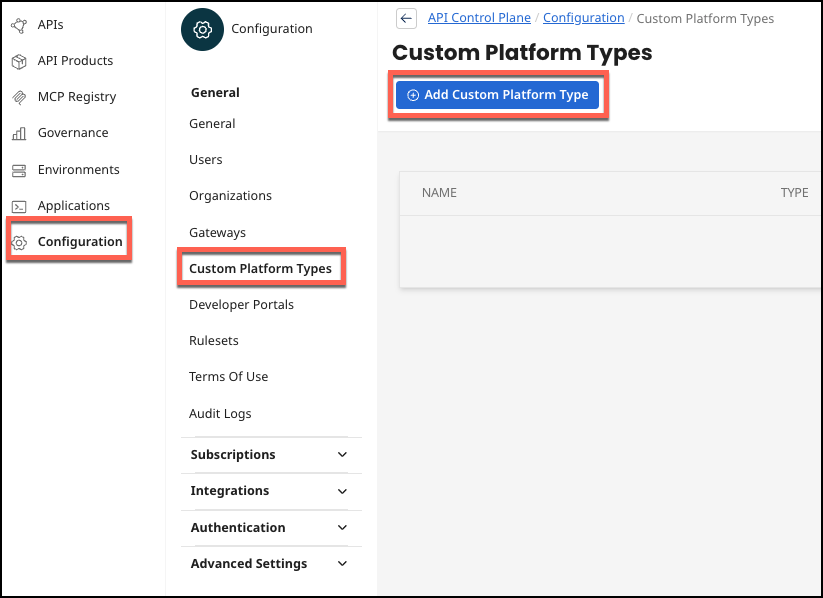
In API Control Plane, select Configuration > Custom Platform Types > Add Custom Platform Type.
-
Upload JSON file. Ensure that the type field of the custom Platform Type exactly matches the string supported in your implementation of
GatewayConfigurationFactory::supports. Ensure that the fields needed for your GatewayConfiguration are included in the JSON uploaded to set the properties of the Platform Type, for example, for a "password" field in your GatewayConfiguration subclass,{"fieldName":"password"}should be included in your properties JSON.
You can also include a description for each field in your properties JSON, such as {"fieldName":"password", "description":"string used to authenticate user"}.
This description is used as the tooltip for this field on the gateway registration UI.
These are the properties that will be included in docker-compose.yml file and read by the GatewayConfigurationFactory::parseConfiguration method on startup. Ensure that your GatewayConfiguration subclass has all the fields needed to implement connectivity to your gateway.
Example properties JSON:
{
  "type": "EXAMPLE",
  "properties": [
    {"fieldName": "username", "description": "identifier used for gateway access"},
    {"fieldName": "password", "description": "secret code used to authenticate user"}
  ]
}
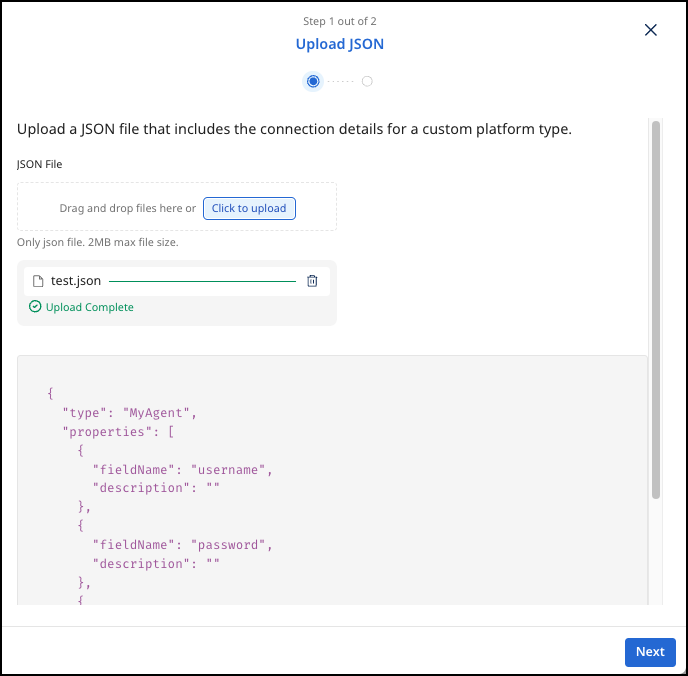
- Select Next.
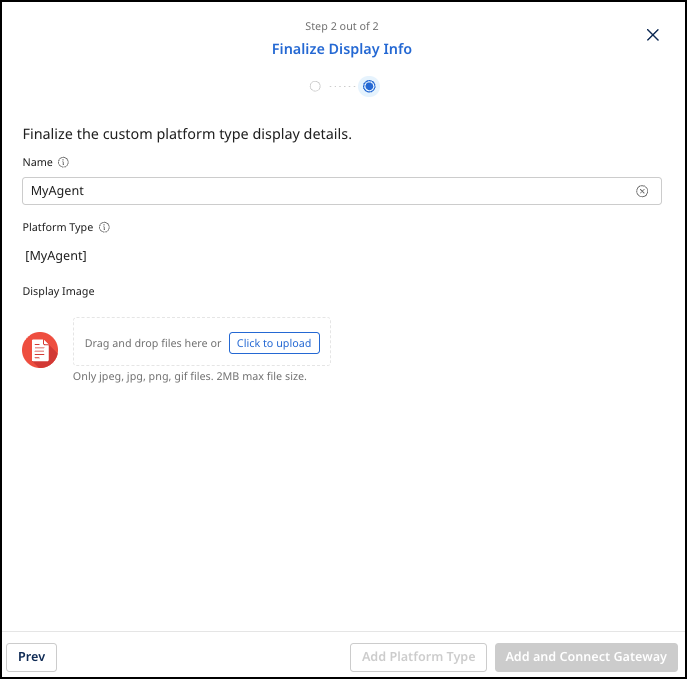
- Add an image for the new platform type:
.png,.jpg, or.gif, and 2MB maximum file size. Select Add and Connect Gateway or Add Platform Type if you don't want to connect.
Configuration reference
| Field | Description | Required |
|---|---|---|
type | The string identifier for this Platform Type. Must match the value returned by GatewayConfigurationFactory::supports. | Yes |
fieldName | The name of a configuration field in your GatewayConfiguration subclass. | Yes |
description | Tooltip text shown to users when they enter a value for this field during gateway registration. | No |
