
 LinkedIn
 X
X MongoDB to Snowflake: CDC data replication with Boomi

At first glance, NoSQL and SQL sound like they don't work together, but they're actually meant to complement each other. Breaking free from SQL's architectural limitations, NoSQL outperforms in operational aspects where SQL's structured approach throttles. Paired together, you get NoSQL's flexibility and speed to host data while retaining SQL's relational data model to query data.
Mass data movement or replication from MongoDB to Snowflake is a strategic choice for data teams because it unlocks meaningful analytics. Landing MongoDB data into the Snowflake AI Data Cloud lets data teams leverage Snowflake Cortex AI and, most importantly, a standard SQL interface to interact with the data.
The NoSQL analytics problem
Developers choose MongoDB because of its inherent advantages in building scalable applications with evolving data schemas. Performant write and retrieval capabilities, as well as high data availability and durability, are chief concerns when it comes to choosing storage and access patterns for hosting modern applications. As such, MongoDB's specialized data models don't always conform to standard SQL.
Operationally, MongoDB's NoSQL schemaless data structure doesn't pose any issues. However, it presents challenges for analytics where standard SQL is the dominant tool. Standard SQL remains prevalent and the industry standard amongst data analysts, with reporting and visualization infrastructure being built on top of SQL. How do you bring MongoDB data into that stack without leaving SQL behind?
The case for CDC data extraction
Not all data pipelines are created equal. While most pipelines can handle a one-time move of your data from source to target, many fail when it comes to Change Data Capture (CDC), schema evolution, and in-pipeline data transformations. This is where automated ELT pipelines come in.
Automated ELT pipelines can ingest and normalize MongoDB data with SQL-based extractors to load into your Snowflake data warehouse. This enables data teams to join and analyze MongoDB data alongside other sources using standard SQL. Access to product telemetry data within MongoDB is important for product-led growth (PLG) use cases and initiatives, such as understanding user behaviors, increasing adoption through in-product flows, and converting users with better product experiences.
Given the critical nature of product telemetry data, CDC data replication pipelines into Snowflake are preferred to enable near-real-time data freshness. CDC is an extremely efficient data extraction method because it reduces load on the operational database engine and captures deleted records that can't be replicated using standard batch SQL extraction methods.
Prerequisites
You'll need access to the following
- A MongoDB database to use as a source connection
- A Snowflake warehouse to use as a target connection
- Boomi Data Integration to build your first CDC replication pipeline
What you will learn
In this quickstart guide, we'll be using Boomi Data Integration to build your first CDC data pipeline to continuously replicate MongoDB data into Snowflake. You'll learn:
- How to use Snowflake Partner Connect to connect Snowflake and Boomi Data Integration
- How to create a Source to Target Flow to load any data source into Snowflake
- How to configure standard SQL extraction or CDC data replication into Snowflake
- How to proactively monitor pipeline health and overall performance
Set up your account
Setting up your Boomi account
The easiest way to start a Boomi account with an established connection to your Snowflake account is to use Snowflake's Partner Connect. Within Snowsight, this can be found under Marketplace.
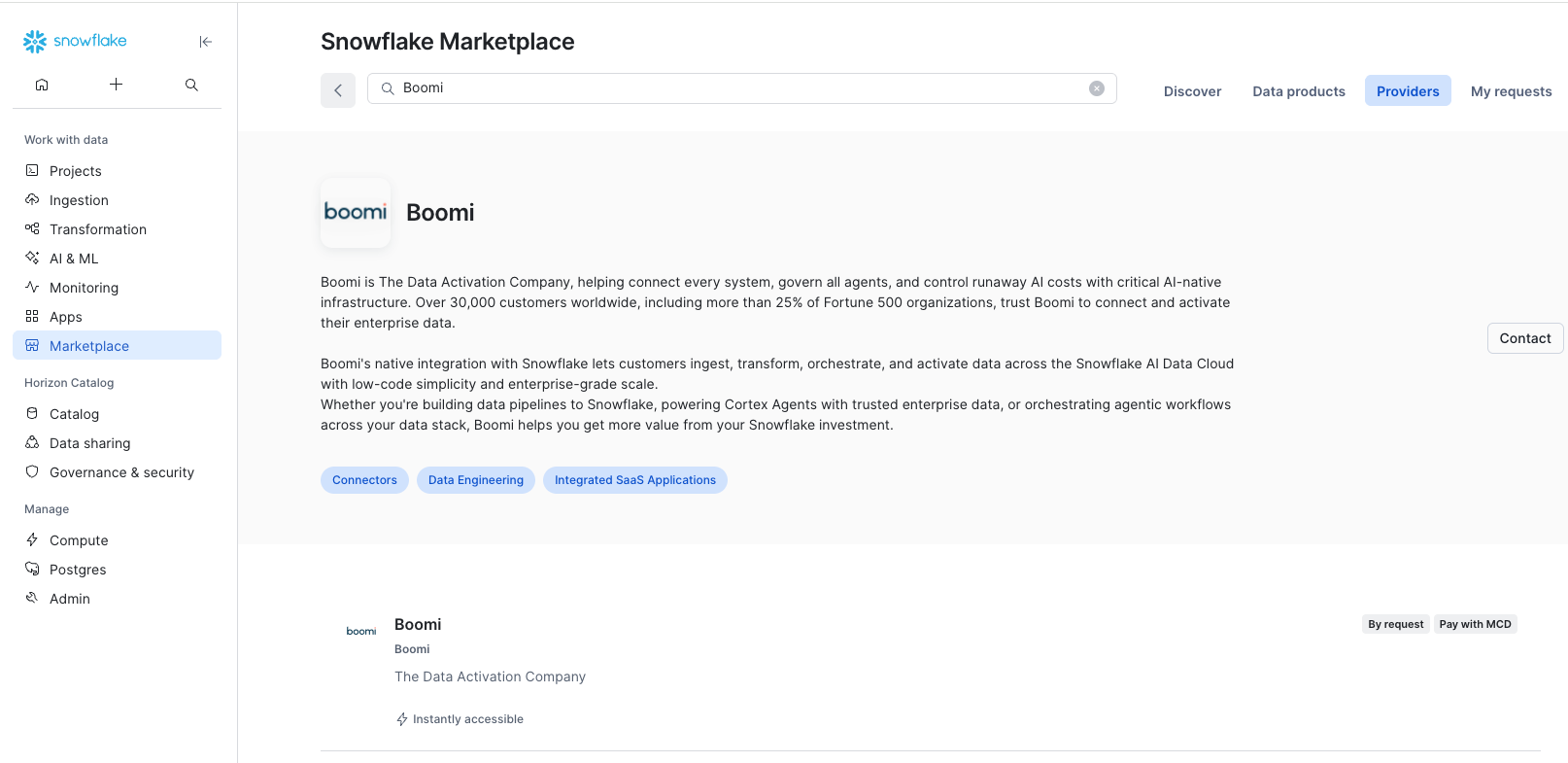
This will set up both your Boomi account and Snowflake Target connection within Boomi Data Integration.
If you'd like to set up a Boomi account separately, you can do so by navigating to the Boomi website and following the Data Integration quick start guide.
Create your first data pipeline
Now that your accounts have been set up, you're ready to create your first CDC replication pipeline or ingestion pipeline. At Boomi, we call our ingestion pipelines Source to Target Flows, which is a simple four-step process:
1. Set up your data source
Let's start at the Boomi Data Integration homepage and select Source to Target Flow.
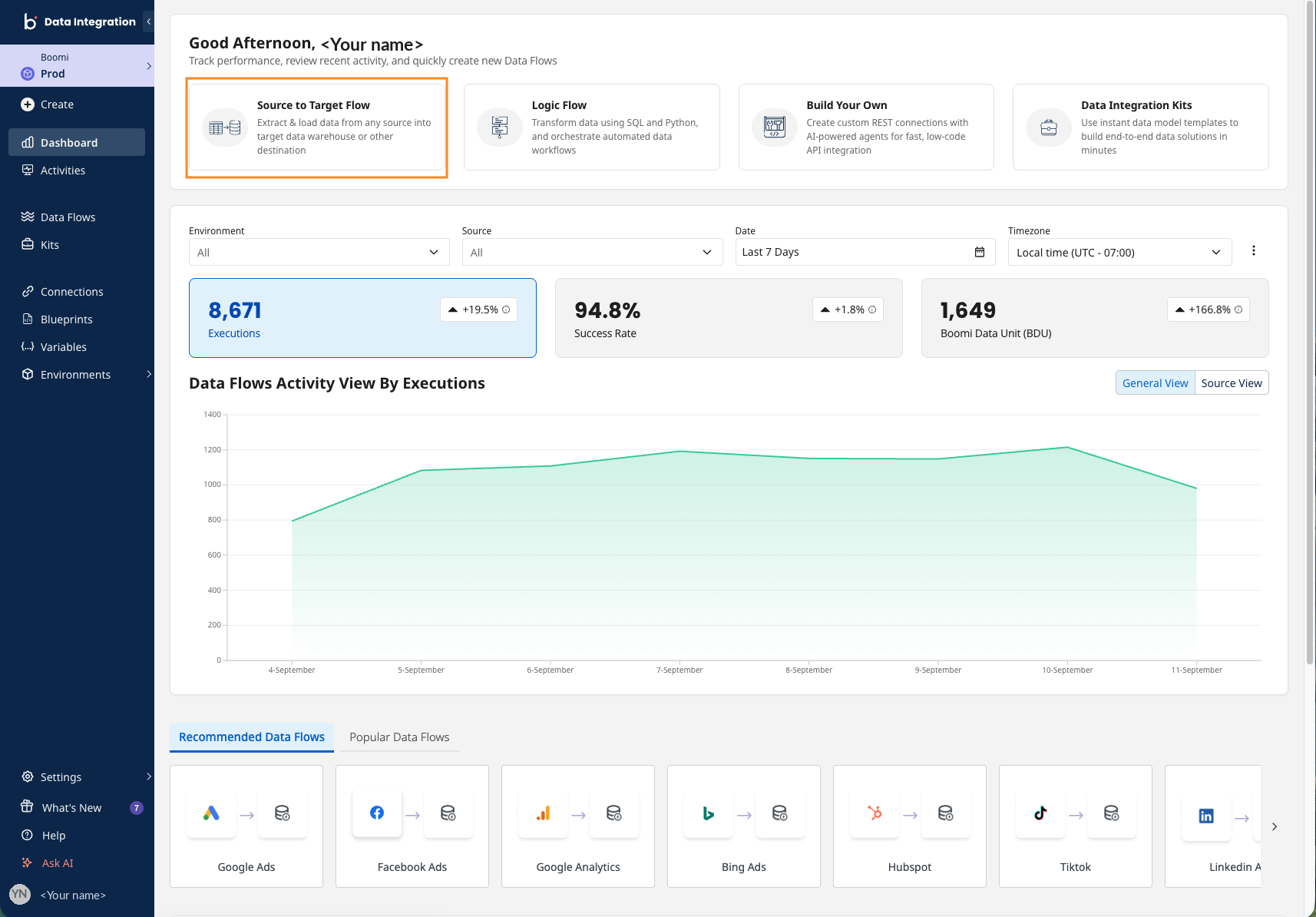
From the data sources menu, either search for "MongoDB" or navigate to the MongoDB tile.
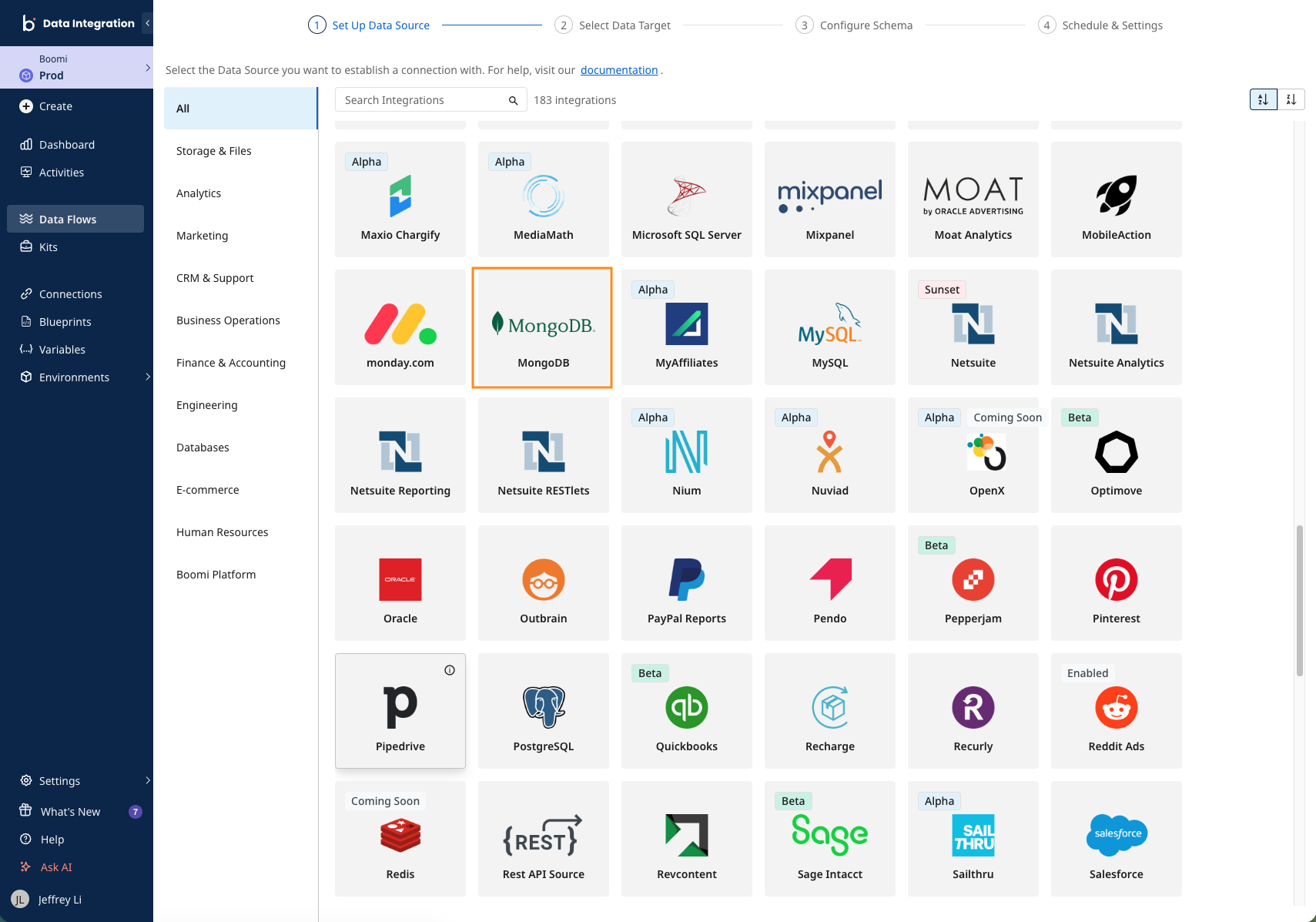
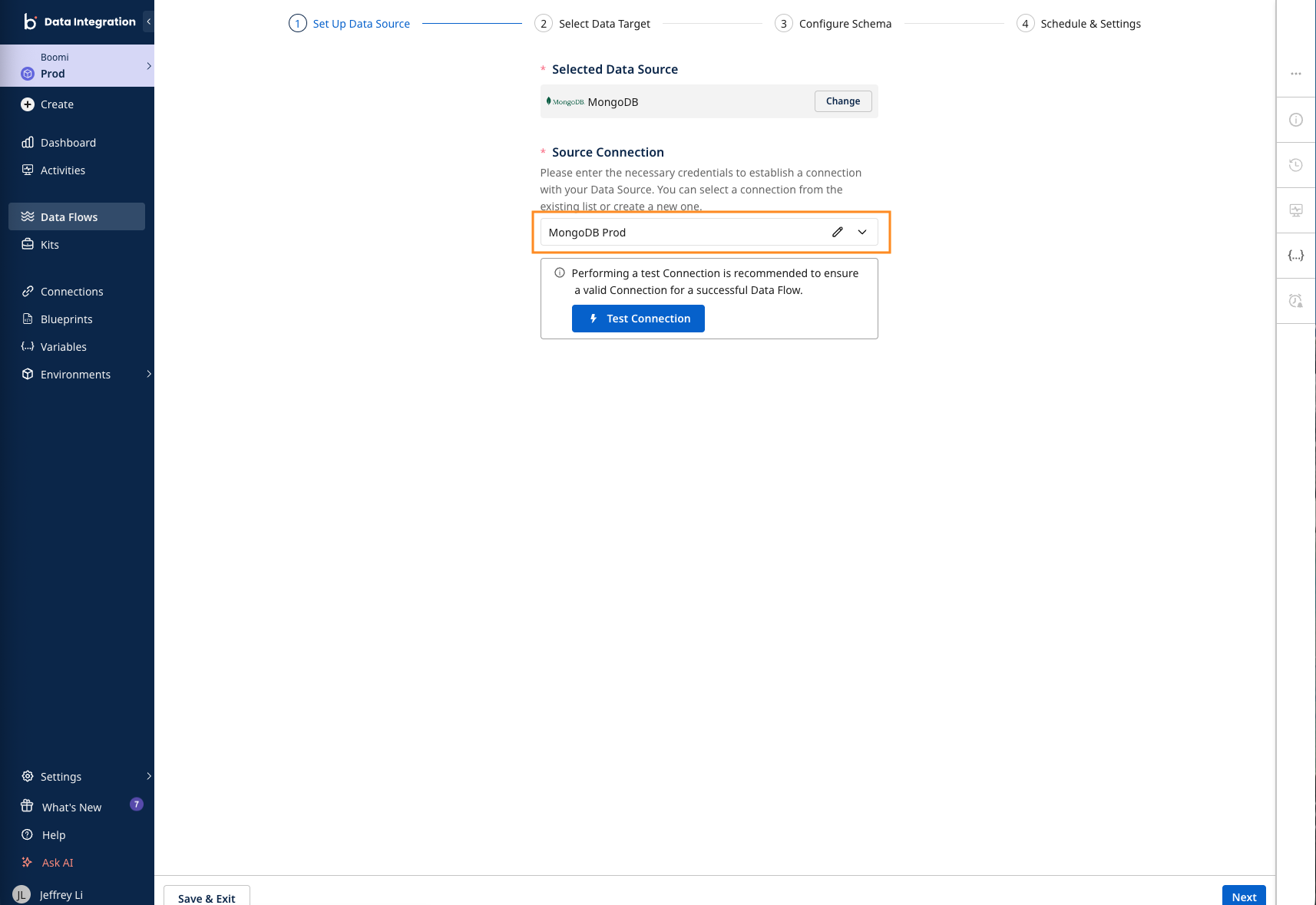
After selecting MongoDB, you'll arrive at the setup screen. Create a new data source connection by clicking into the dropdown menu.
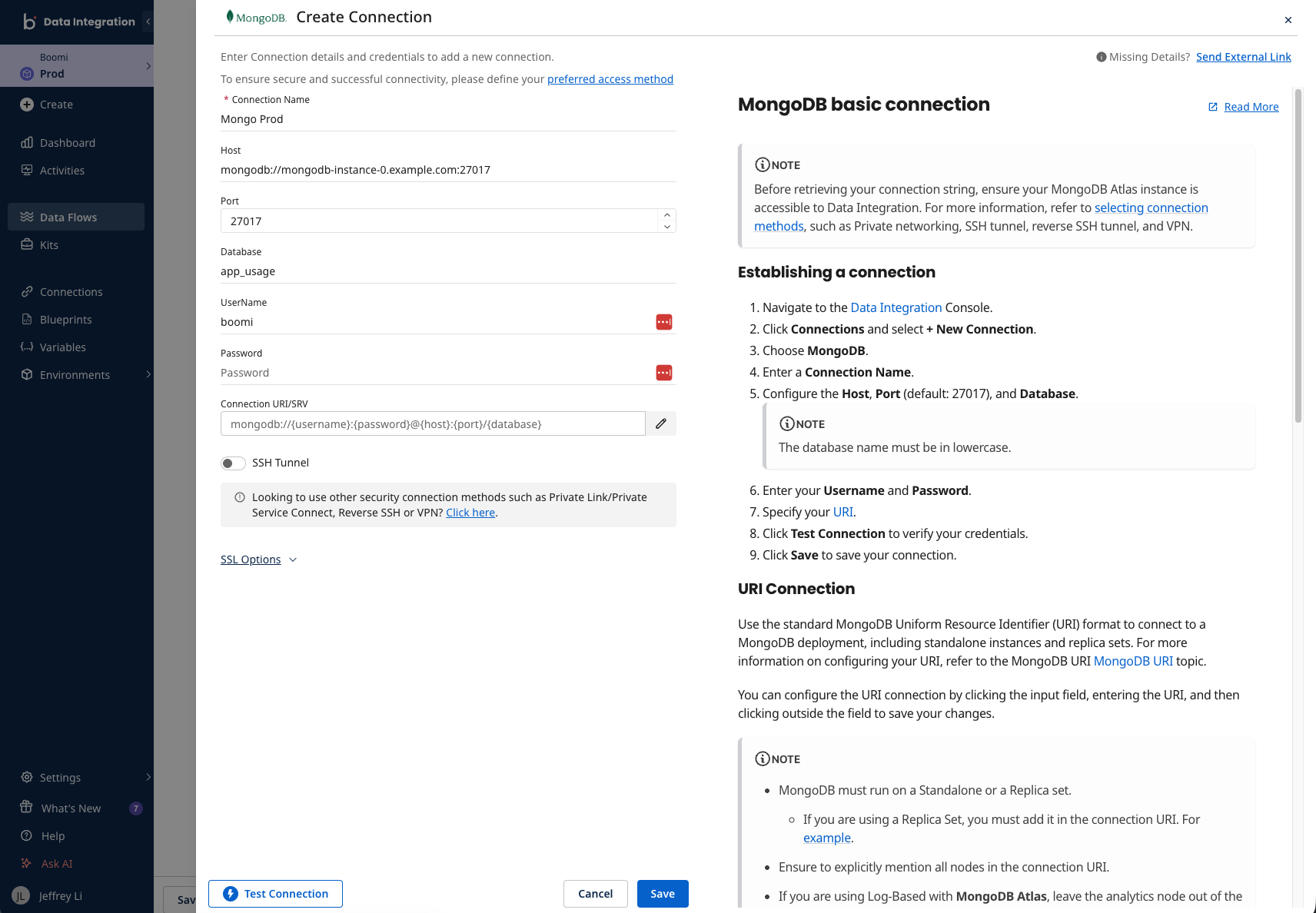
The connection set-up page below will be familiar to you as it's the same format for both sources and targets. Parameters and credentials are laid out on the left side panel, and relevant documentation is on the right side panel.
Boomi Data Integration offers several methods to ensure a secure connection to MongoDB, including SSH, Reverse SSH, VPN, AWS PrivateLink, and Azure Private Link.
After keying in your credentials, remember to use the Test Connection button to ensure your source connection works. That's it for setting up your MongoDB connection.
2. Select your data target
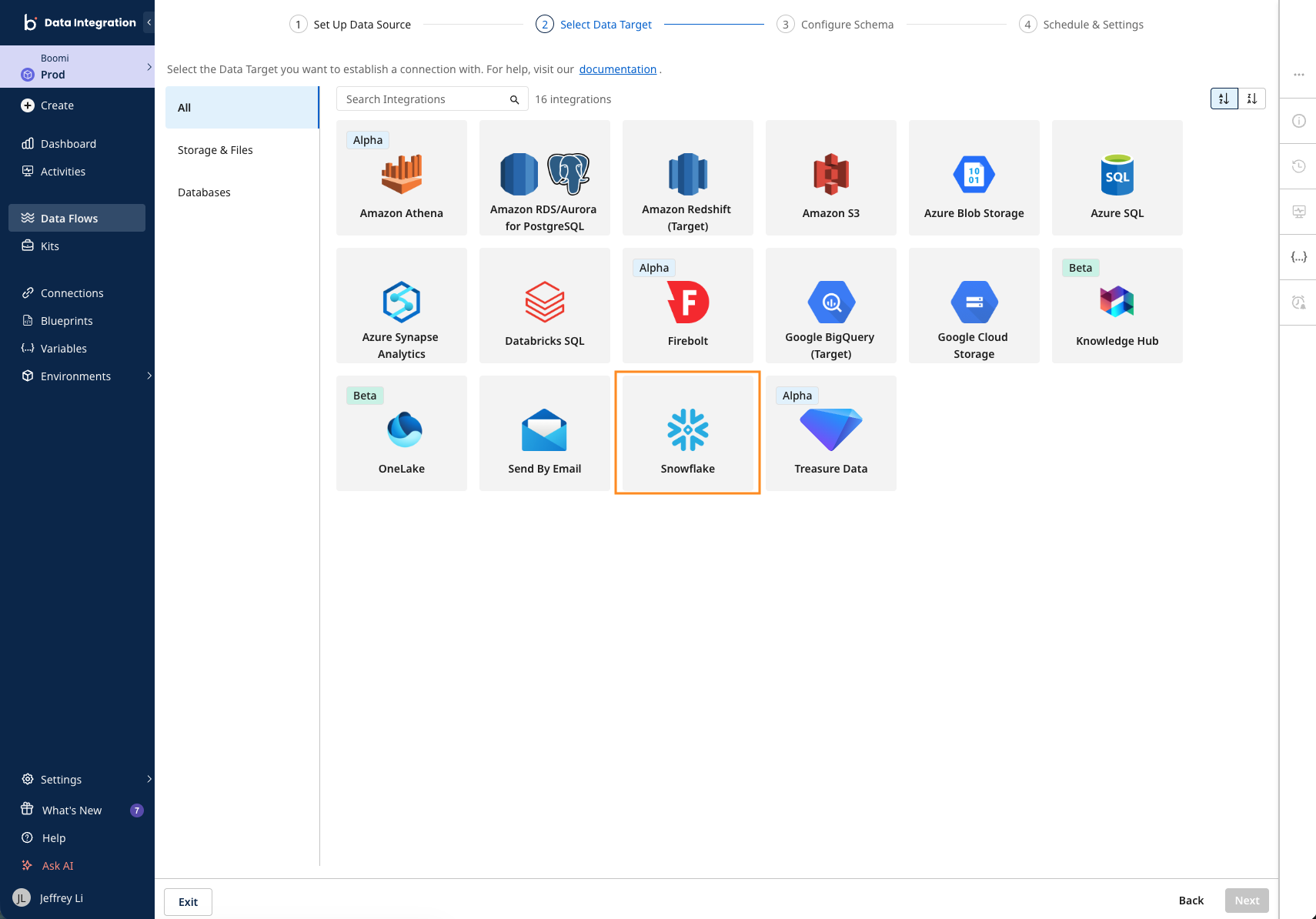
You can move on to the next step by clicking Next in the wizard to proceed. You'll be presented with a page of supported Data Targets or data destinations. Let's select Snowflake to proceed.
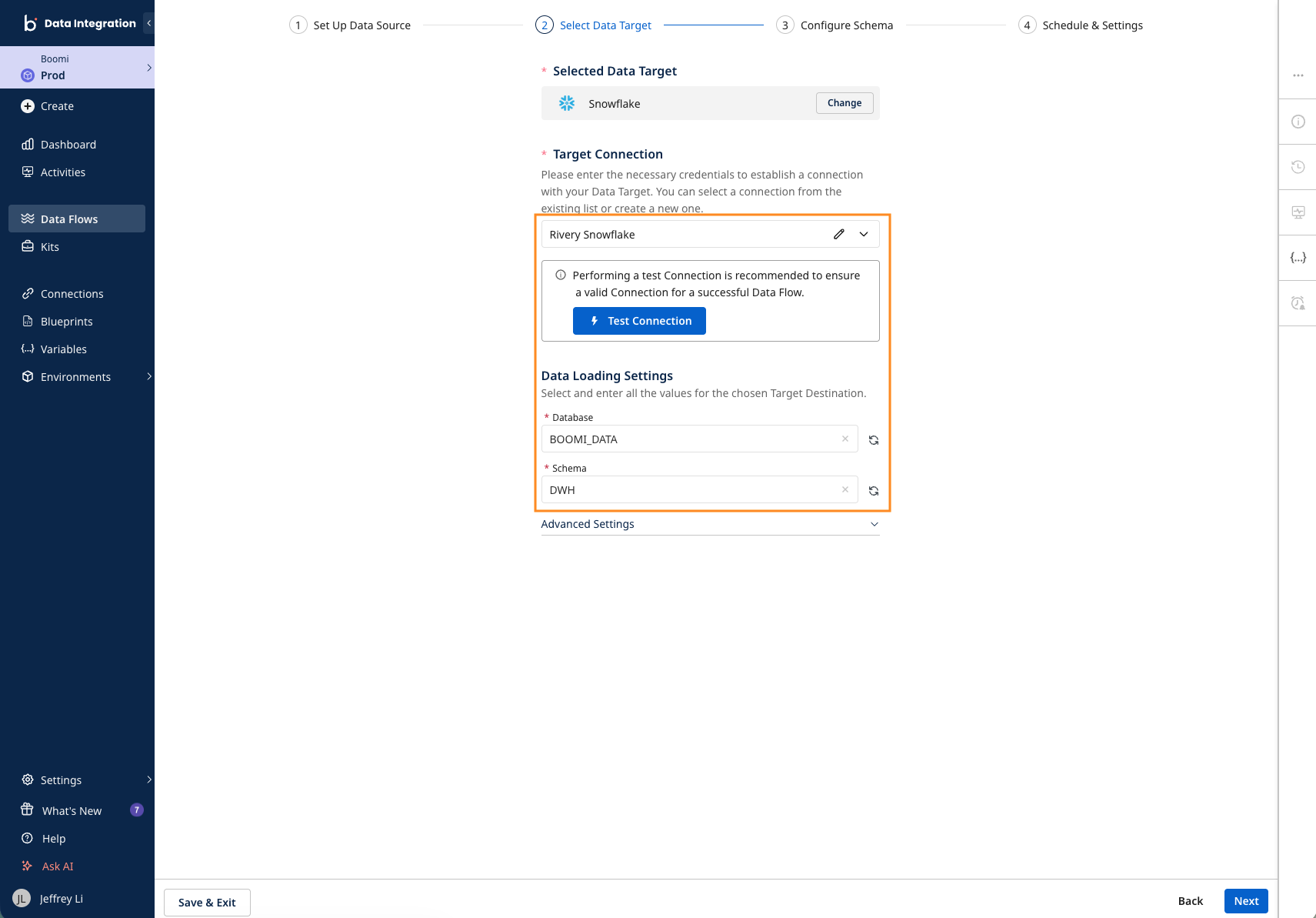
If you used Snowflake Partner Connect as part of your set-up, you'll be able to see an existing Snowflake connection and select which Database and Schema you want your MongoDB data to land in. Otherwise, set up your Snowflake connection the same way as you did for MongoDB in the previous step.
3. Configure your schema
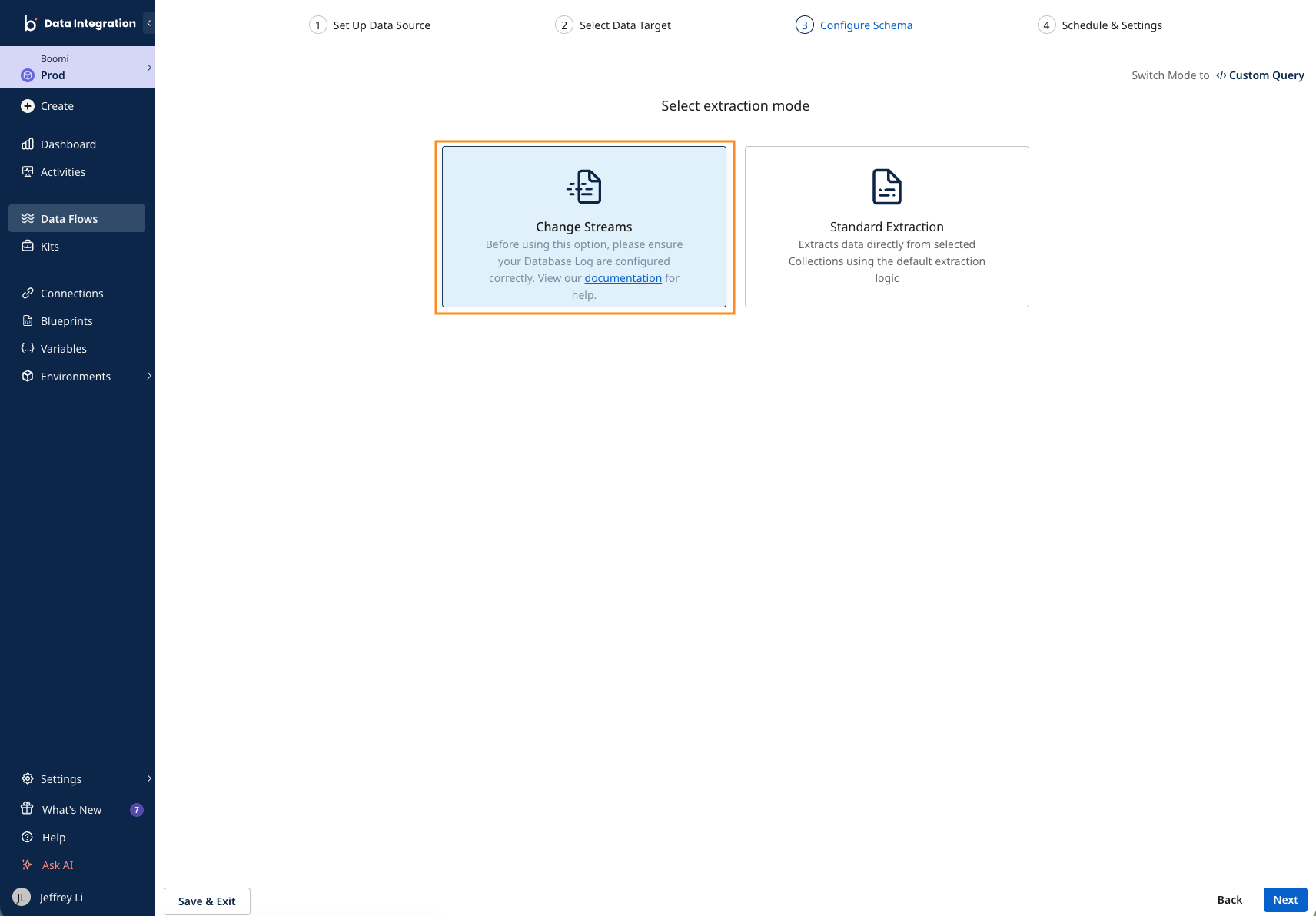
With the desired Data Source and Data Target now populated, you're ready to move on to configuring your schema. Boomi Data Integration supports multiple data extraction modes depending on the use case. If you need near-real-time data freshness or to capture deletes, then the Change Streams option is for you. On the other hand, choose Standard Extraction if it's a one-time historical migration or backfill, or real-time data freshness isn't a requirement.
To continue setting up the CDC replication pipeline, let's select Change Streams as the extraction mode.
Boomi Data Integration automatically normalizes MongoDB's collections as tables for you. This way, the table selector populates objects based on what your Data Source connection has permissions to access. If your desired tables aren't populating, be sure to double-check the account credentials within your source connection.
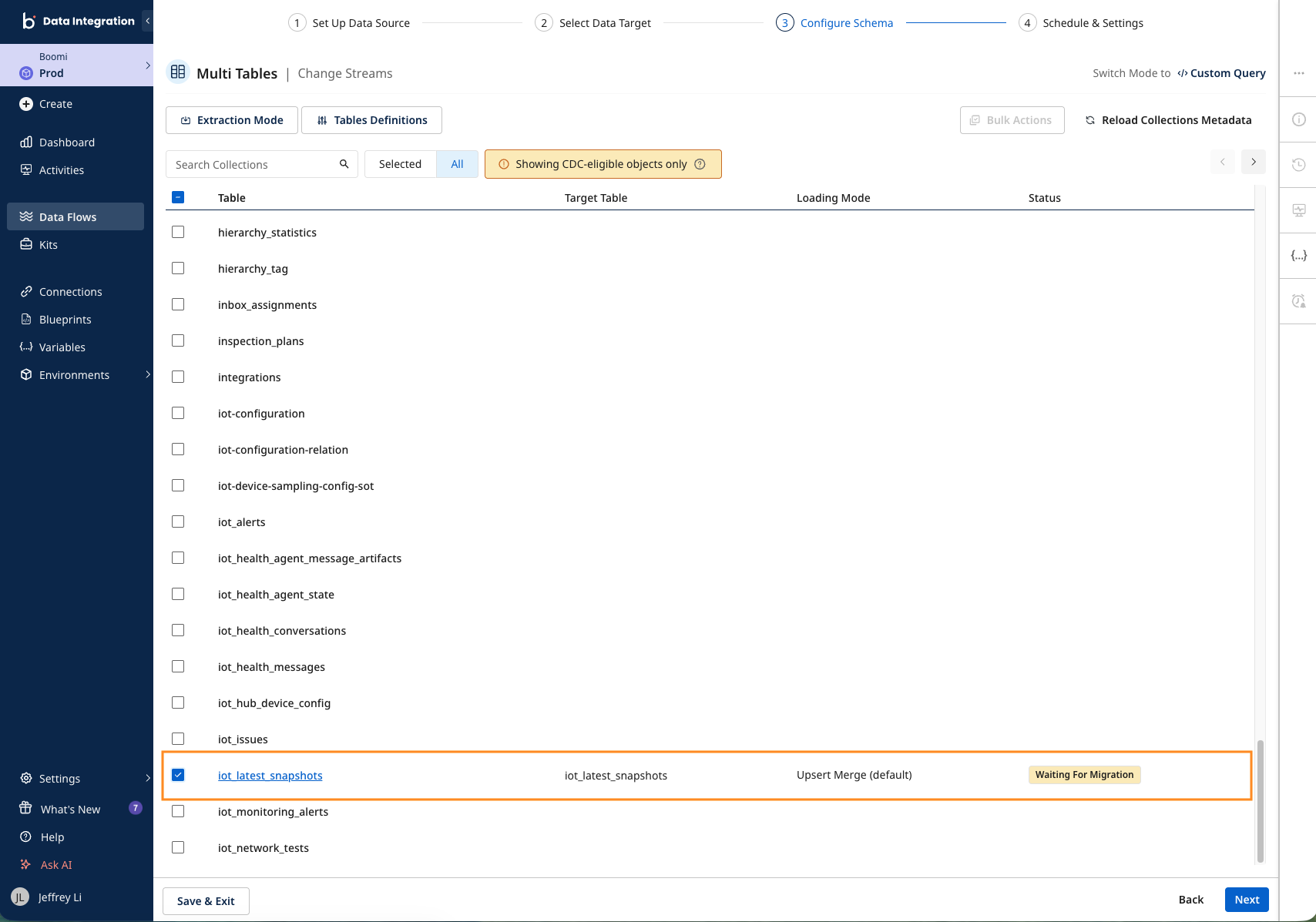
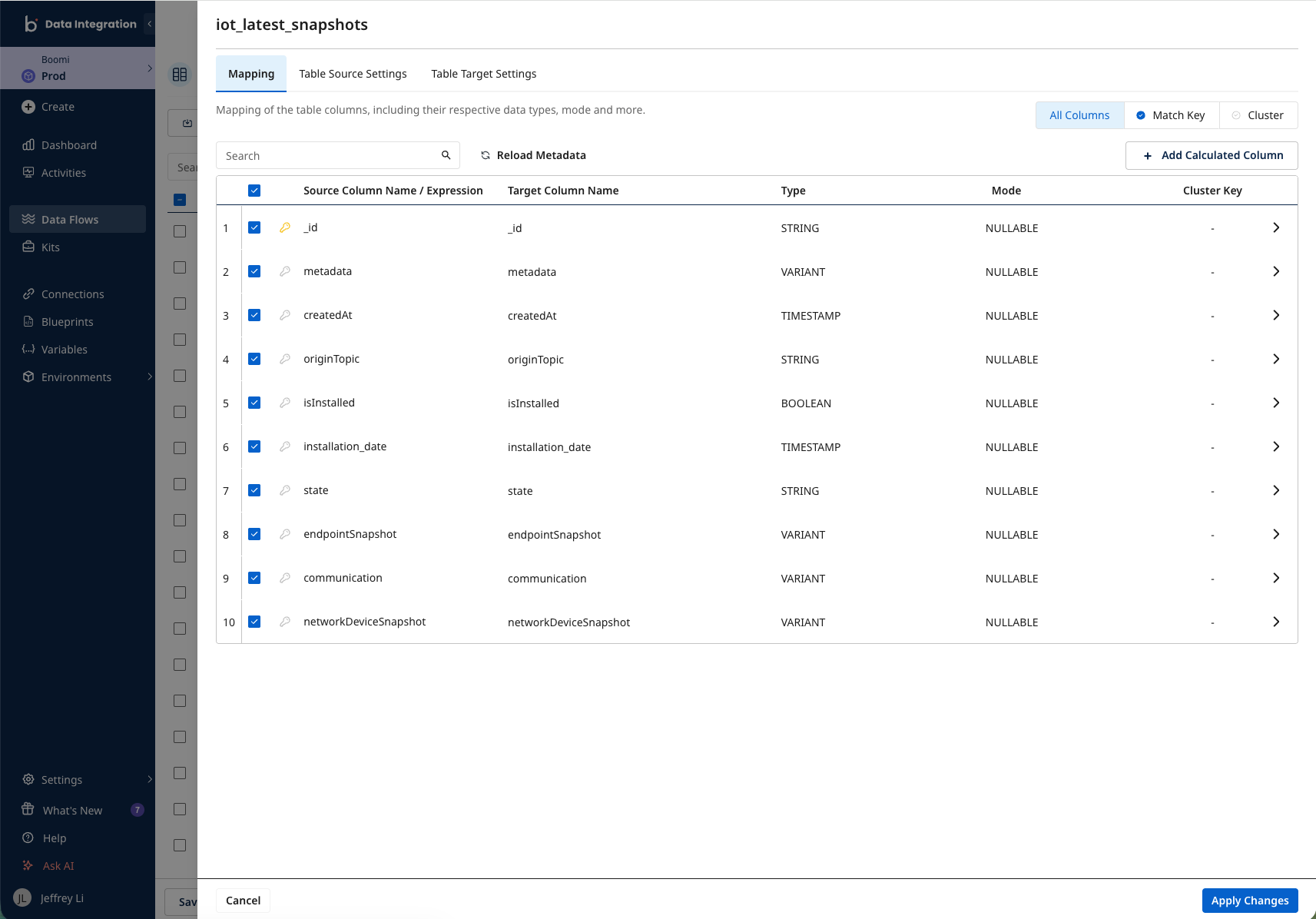
You can click into each table to configure further, such as adding calculated columns, assigning data types and keys, and configuring Upsert-Merge or Append loading modes.
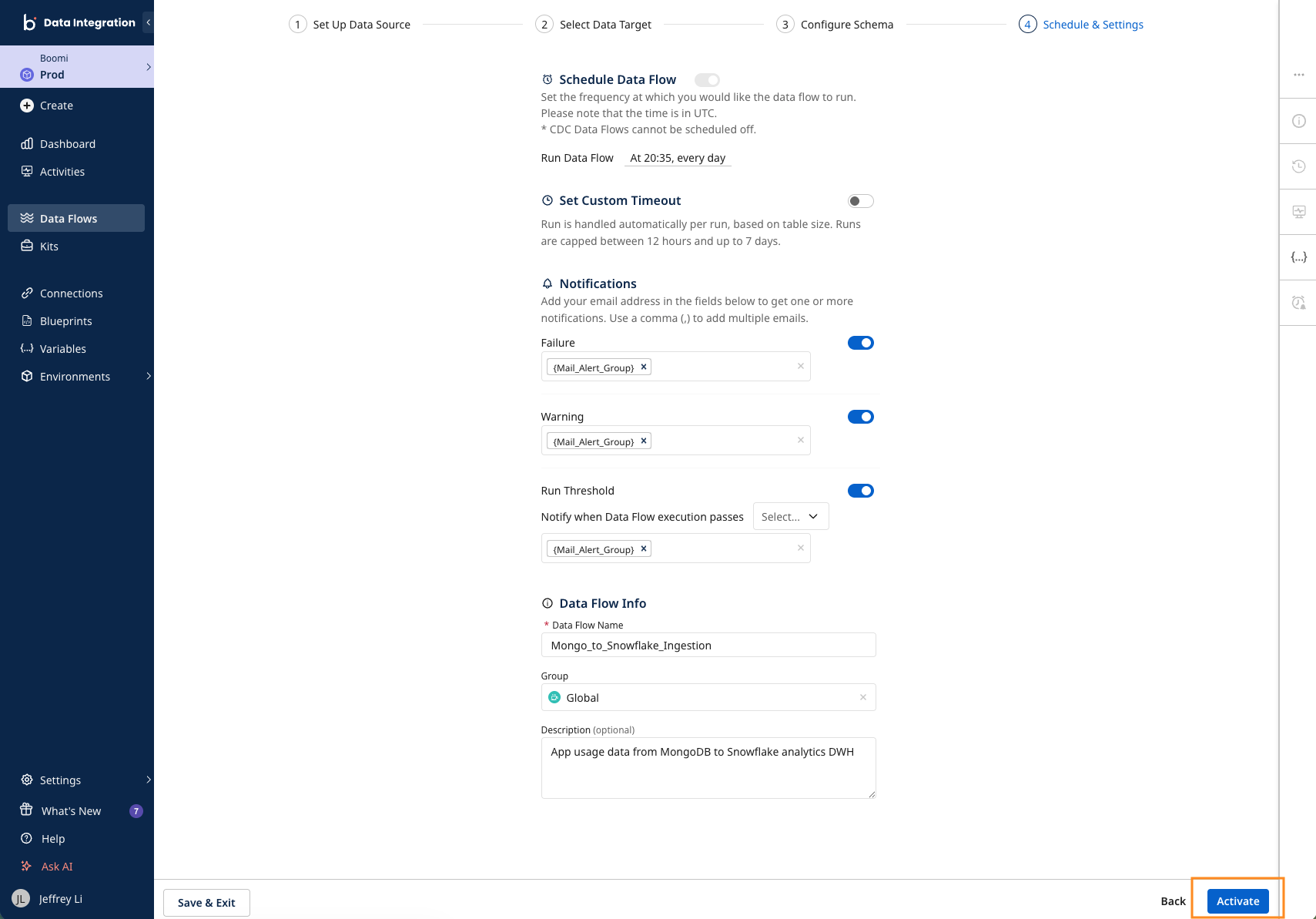
4. Schedule and configure your pipeline settings
After configuring your schema, all that's left is to schedule your first pipeline and enable pipeline health notifications for proactive monitoring. Click on Activate at the bottom right, and you've deployed your first CDC replication pipeline to move MongoDB data to Snowflake!
Monitoring your pipeline
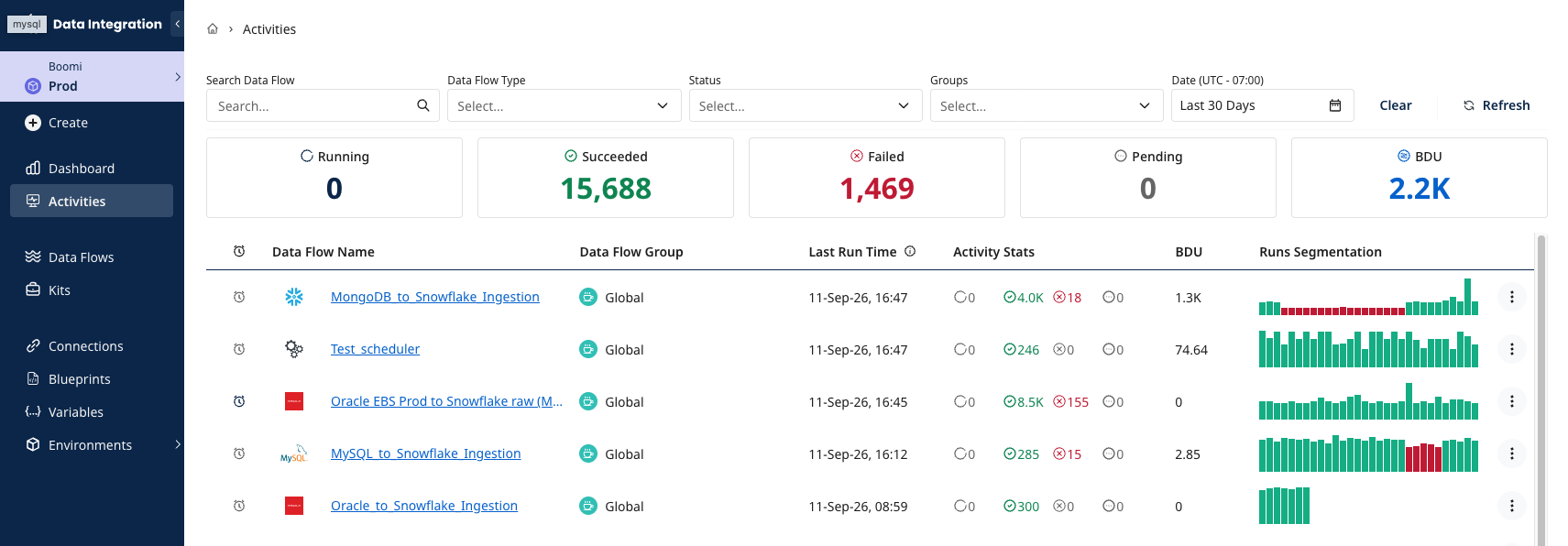
You can monitor pipeline runs from the homepage or the Activities page via the left side navigation pane. Drill down into execution runs by clicking on any pipeline for the most granular breakdown.
Conclusion
You've now created a MongoDB to Snowflake CDC replication pipeline. This pipeline will ensure you always get fresh MongoDB data in Snowflake AI Data Cloud for unified analytics and AI services.
What you learned
- How to use Snowflake Partner Connect to connect Snowflake and Boomi Data Integration
- How to create a Source to Target Flow to load MongoDB data into Snowflake
- How to configure standard SQL extraction or CDC data replication into Snowflake
- How to proactively monitor pipeline health and overall performance
Related resources
- MongoDB Source Compatibility
- Configuring SQL Logic Step to Transform Data within Snowflake
- Using Reverse ETL with Snowflake Data In Boomi Data Integration
Ready to try this yourself? Start a free Boomi Data Integration trial or catch up on the latest news from the Boomi Snowflake Elite Partnership to power your agentic transformation.
